
ComfyUI ALL-in-ONE MiniMax H3


One node. The whole MiniMax H3 video pipeline.
No node graph to build, no wires to connect, no hunting through twelve custom node packs to figure out which workflow is the right one. Pick a mode, drop in your prompt or references, hit Generate — the node does the rest.
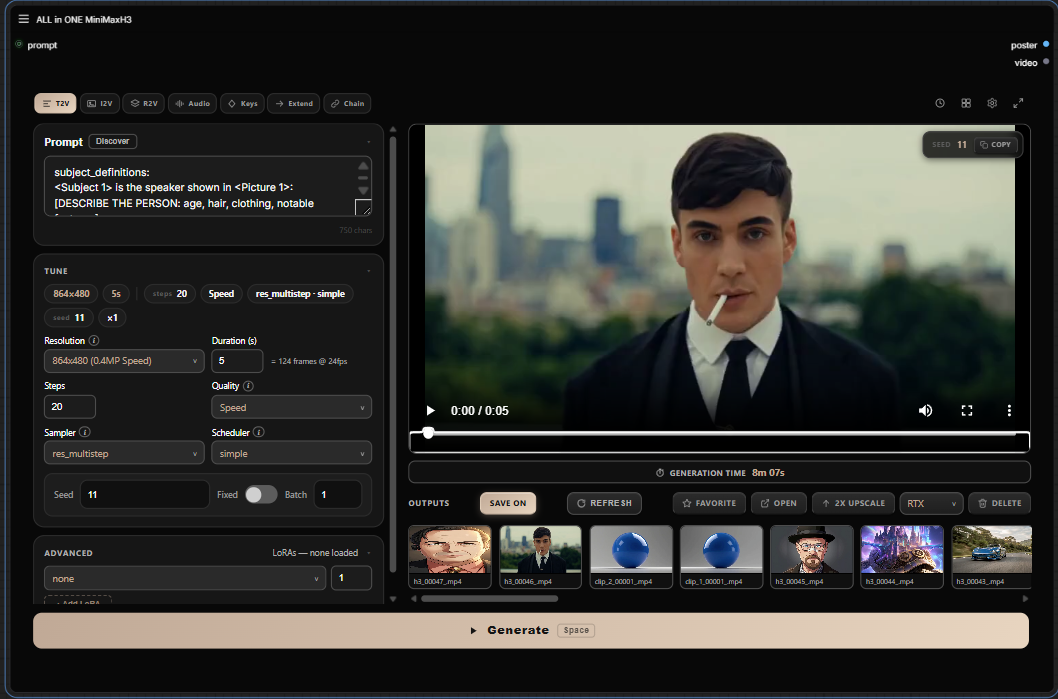
Modes
| Mode | What it does |
|---|---|
| T2V | Text to video with native audio (fl2va model) |
| I2V | Animate a start frame, optionally morph to an end frame |
| R2V | Reference images / videos / audio drive the clip (ref2va model) |
| Audio Drive | Your audio track is the soundtrack, and it drives mouth movement (lip sync) |
| Keyframes | Pin still images at arbitrary frame positions |
| Extend | Continue an existing video seamlessly |
| Chain | Multi-clip continuation with H3 Motion Context (latent path, no re-encode) |
| Upscale | RTX/Seed2VR Video Super Resolution hook |
Screenshots
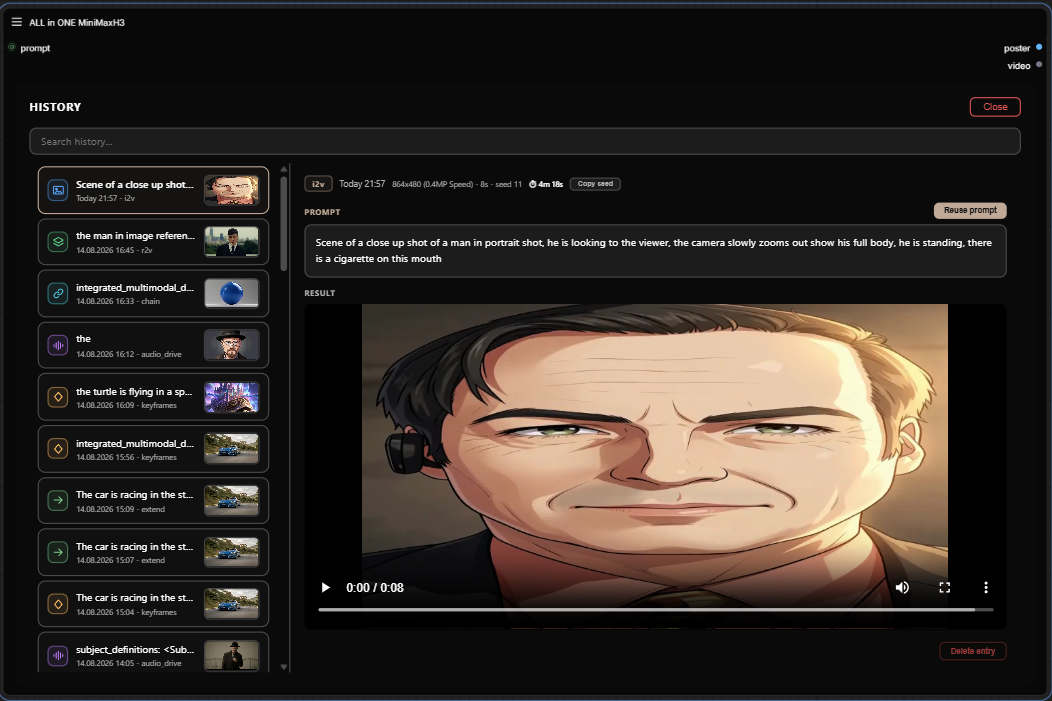
History — searchable, with prompt reuse and per-entry preview.
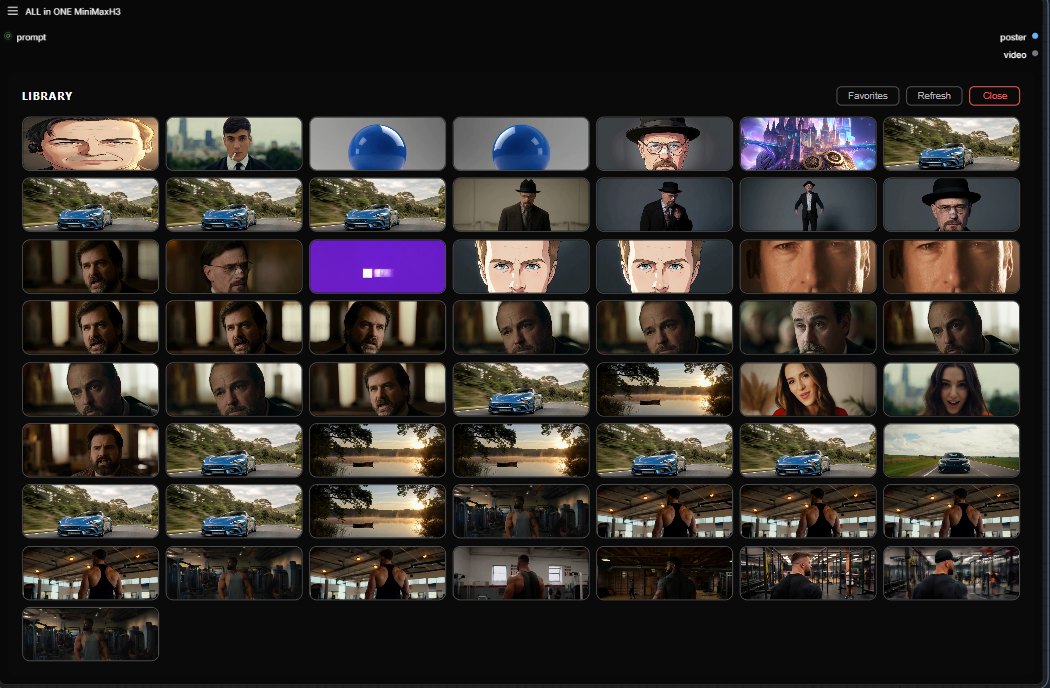
Library — every output in one place: inline preview, favorites, open-folder, delete, RTX upscale hook.
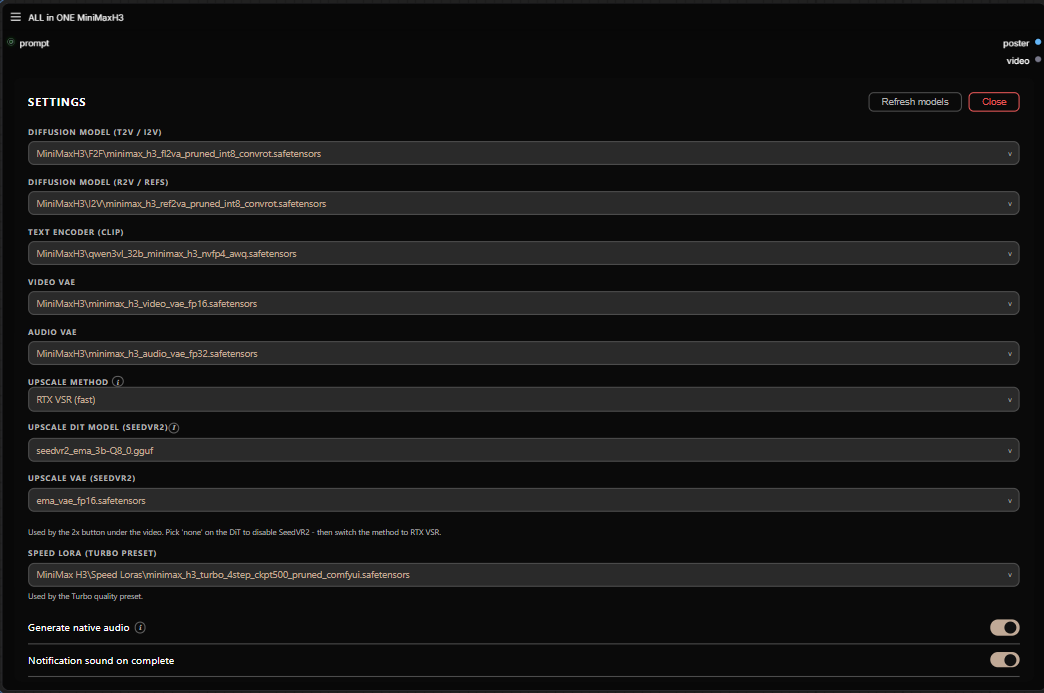
Settings — theme accent, sounds, models.
Requirements
Models
Official MiniMax H3 files from Comfy-Org/MiniMax-H3, placed in your standard ComfyUI/models/ folders:
| File | Folder |
|---|---|
minimax_h3_fl2va_pruned_int8_convrot.safetensors |
diffusion_models/ |
minimax_h3_ref2va_pruned_int8_convrot.safetensors |
diffusion_models/ |
qwen3vl_32b_minimax_h3_nvfp4_awq.safetensors |
text_encoders/ |
minimax_h3_video_vae_fp16.safetensors |
vae/ |
minimax_h3_audio_vae_fp32.safetensors |
vae/ |
Custom nodes
T2V, I2V and R2V need nothing extra — every node they use (H3 conditioning, sigma shift, samplers, video/audio decode, video save) ships with a recent ComfyUI. The other modes and presets use a few community packs — install only the ones you use, via ComfyUI-Manager (search by pack name), then fully restart ComfyUI and hard-refresh the browser (Ctrl+F5).
Per mode
| Mode | Packs you need |
|---|---|
| T2V / I2V / R2V | — (ComfyUI core only) |
| Audio Drive | comfyui-vrgamedevgirl |
| Keyframes | ComfyUI-H3-Motion-Context-MultiRef |
| Extend | ComfyUI-H3-Motion-Context-MultiRef |
| Chain | ComfyUI-H3-Motion-Context-MultiRef |
| Upscale — RTX VSR | Nvidia_RTX_Nodes_ComfyUI (NVIDIA RTX GPUs only) |
| Upscale — SeedVR2 | ComfyUI-SeedVR2_VideoUpscaler |
Per quality preset (Settings → Quality)
| Preset | Packs you need |
|---|---|
| Turbo | ComfyUI-MiniMax-H3-Turbo + a Turbo LoRA (below) |
| Speed | ComfyUI-SolAttn_triton + ComfyUI-MiniMaxH3-Cache |
| Balanced | ComfyUI-SolAttn_triton |
| High | ComfyUI-KJNodes (SageAttention) |
Preview without saving (auto-save off): ComfyUI-VideoHelperSuite
Turbo LoRA (for the Turbo preset): download minimax_h3_turbo_v4_step600_ema.safetensors from larryvrh/MiniMax-H3-Turbo-Lora into ComfyUI/models/loras/.
Seeing "Node not found"? That's a missing pack from the tables above. The two most common: -
Audio Drivenode → install comfyui-vrgamedevgirl - Extend / Chain / Keyframes nodes → install ComfyUI-H3-Motion-Context-MultiRefInstall via ComfyUI-Manager, restart ComfyUI completely, then hard-refresh the browser.
Exact tested versions of everything are in COMPATIBILITY.md — check that file first if something breaks after you update ComfyUI or a pack.
Installation
# inside ComfyUI/custom_nodes/
git clone https://github.com/LeonQ8/ComfyUI-ALLinONE-MinimaxH3.git
Restart ComfyUI, then double-click the canvas and search for ALL in ONE MiniMaxH3.
Compatibility
I develop and test against a pinned stack (ComfyUI version, custom node commits, model files). It's all listed in COMPATIBILITY.md, if a render fails after you updated something, start there.
Credits
- The "one node" idea and UI approach: Ján — one-node-flux-2-klein and one-node-gemma-4
- Chain / Keyframes / Extend wiring: ComfyUI-H3-Motion-Context-MultiRef by seitanism
- Base graphs: the official MiniMax H3 native workflows from Comfy-Org
- Turbo preset: ComfyUI-MiniMax-H3-Turbo pack
Support
This node is in beta — if something breaks, please open an issue, it's the fastest way to get it fixed.
If you like this node and it saves you a few hours of graph surgery, a coffee is always appreciated.<3

License
GPL-3.0 — see LICENSE.