
 # Pinvou Agent
**An open-source desktop AI agent workspace for work, design, and coding.**
[English](README.md) · [简体中文](README.zh-CN.md)
[](https://github.com/Pinvou/pinvou-agent/actions/workflows/pr-check.yml)
[](LICENSE)
[](pinvou3-app/package.json)
[](#-quick-start)
[](https://github.com/Pinvou/pinvou-agent/stargazers)
[Download Preview](https://github.com/Pinvou/pinvou-agent/releases) · [Website](https://pinvou.com/) · [Issues](https://github.com/Pinvou/pinvou-agent/issues) · [Discussions](https://github.com/Pinvou/pinvou-agent/discussions) · [Security](SECURITY.md)
# Pinvou Agent
**An open-source desktop AI agent workspace for work, design, and coding.**
[English](README.md) · [简体中文](README.zh-CN.md)
[](https://github.com/Pinvou/pinvou-agent/actions/workflows/pr-check.yml)
[](LICENSE)
[](pinvou3-app/package.json)
[](#-quick-start)
[](https://github.com/Pinvou/pinvou-agent/stargazers)
[Download Preview](https://github.com/Pinvou/pinvou-agent/releases) · [Website](https://pinvou.com/) · [Issues](https://github.com/Pinvou/pinvou-agent/issues) · [Discussions](https://github.com/Pinvou/pinvou-agent/discussions) · [Security](SECURITY.md)
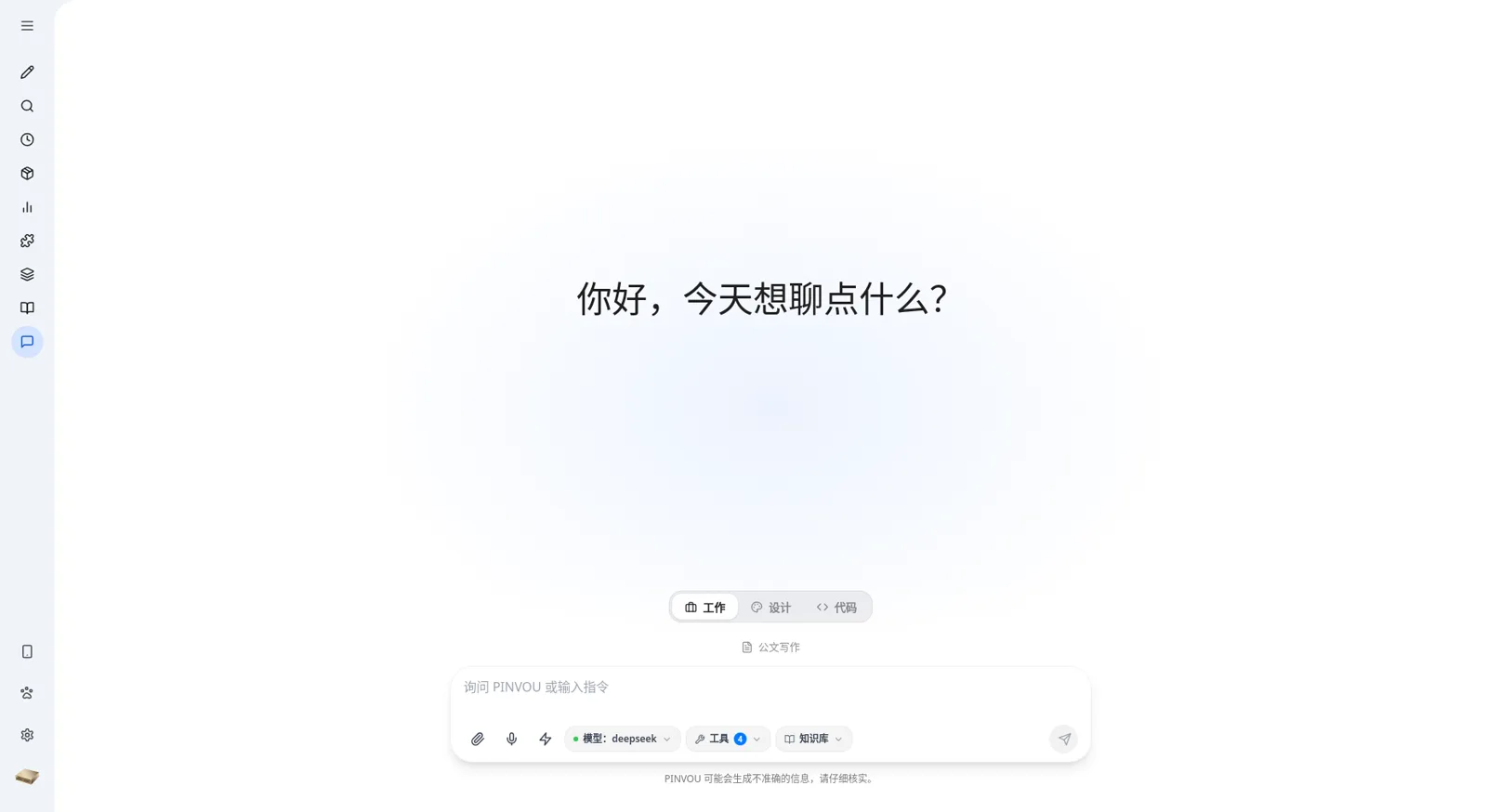
Pinvou Agent is more than a chat window. It brings everyday work, visual design, and software development into one desktop workspace — designed for tasks that should end with a result, not just another chat response. Use tools, work with files, and build personal knowledge; bring a dedicated coding agent into a real project over ACP; or turn a prompt into a visual artifact you can continue editing.
Use a local model for a fully private loop, connect any OpenAI-compatible endpoint, and extend the agent with MCP servers, CLI connectors, Skills, and workflows.
🧭 One workspace, three ways to work
💼 Work: give the agent a real task
Combine attachments, personal knowledge, specialist personas, Skills, MCP tools, and workflows to research, analyze, write, and deliver reusable files — not just another block of chat text.
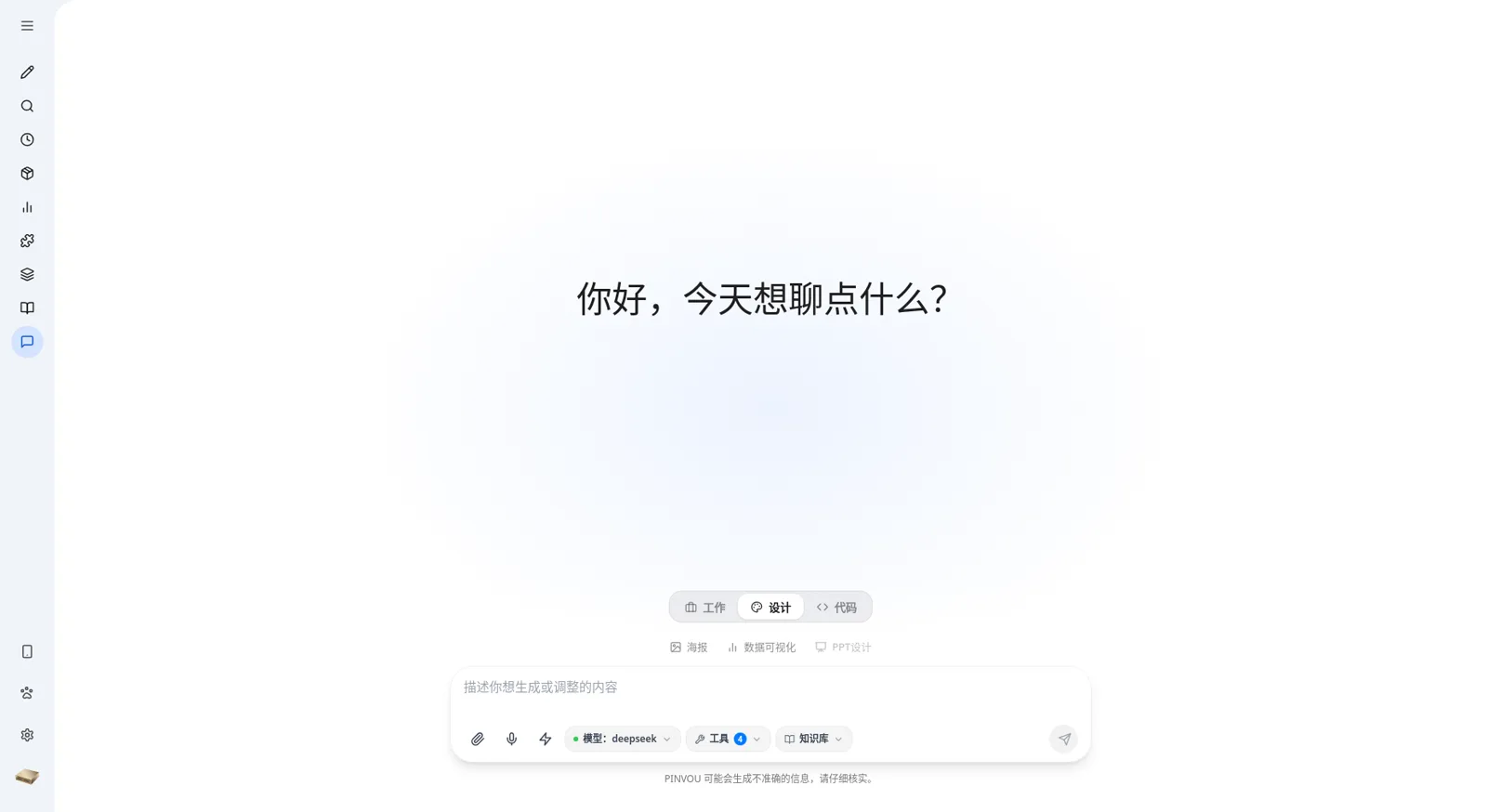
🎨 Design: from a prompt to an editable visual
Create posters and data visualizations in natural language. Open the result in design mode, select elements directly, and adjust copy, fonts, colors, dimensions, and layout — or keep describing changes and let the agent iterate on the current design.
💻 Code: bring a coding agent into a real project
Use Codex, Claude Code, or Kimi through ACP in the same desktop workspace. The coding agent can read and edit a real project or an isolated temporary workspace, run commands, and surface plans, tool steps, permission requests, and file changes. Sessions stay bound to their workspace and can be continued after restarting the app.
✨ Features
🎯 From conversation to deliverables
- Multi-session workspace with title search — messages, tool calls, and artifacts persist with each session
- Attachments for PDF, Office documents, images, and text — drag, drop, or paste them in
- Artifact panel automatically collects every file the agent creates or edits; preview, locate, and open them in one place
- Editable Markdown artifacts — edit directly, or select a passage and ask the agent to revise it
- Plan / YOLO modes — review the plan first for complex work, or execute directly when the task is clear
🧠 Knowledge and memory
- Local knowledge base with file management, full-text and vector retrieval; attach multiple collections to one chat, enable or disable each independently, and retain collection and file provenance in answers
- Memory center captures long-term preferences and context, with explicit candidate review and confirmation
- Persona card pool — create, save, and apply specialist roles for different domains
- Skills, Commands, and workflows turn proven methods into stable, reusable capabilities
🔌 Real tools and connectors
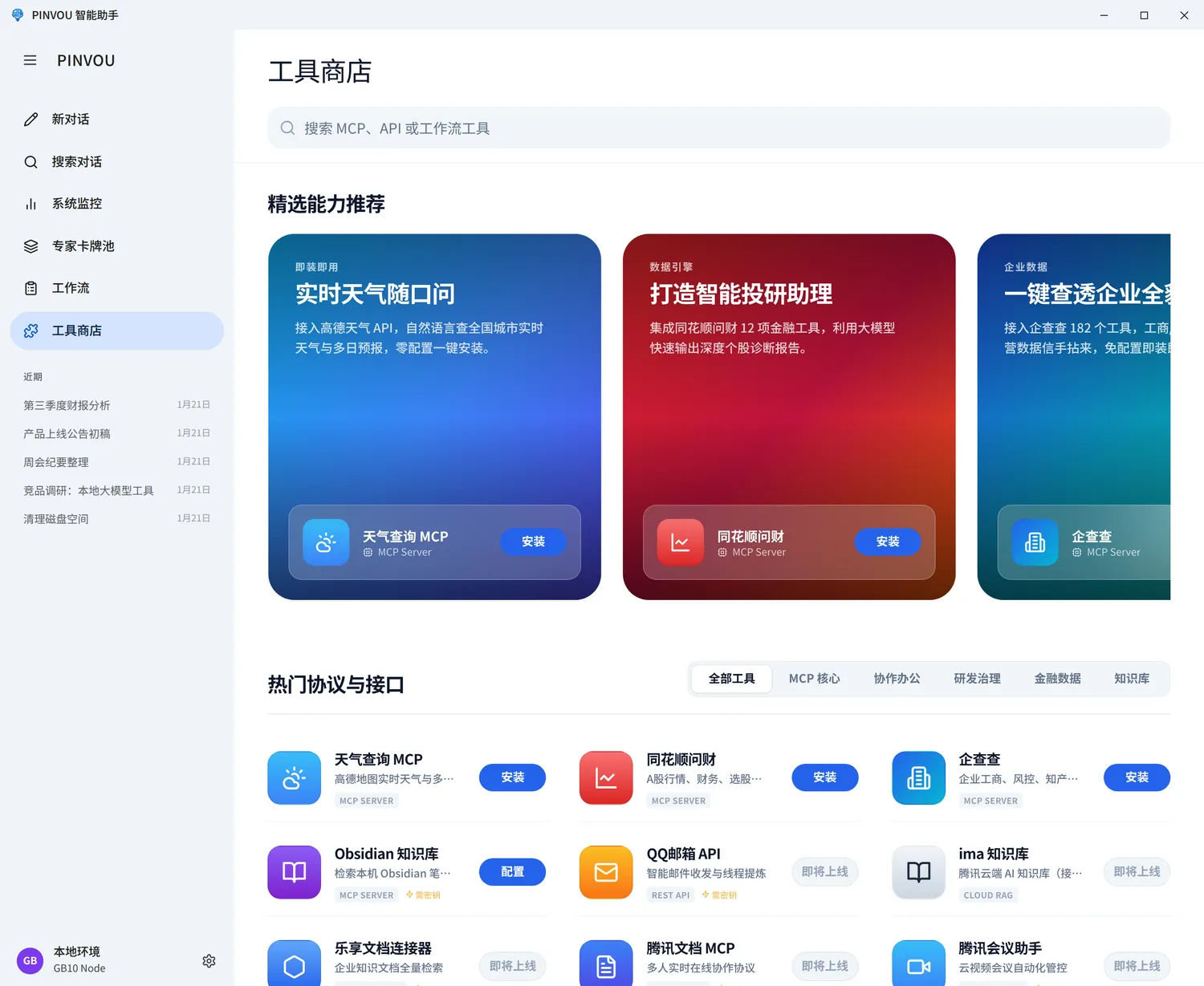
- Unified tool store for local MCP servers, remote MCP servers, CLI tools, and API connectors
- OAuth / SSO authorization where supported — no manual key pasting
- Ready-made connectors for Feishu (Lark), DingTalk, WeCom, Tencent Meeting, Tencent ima, Obsidian, enterprise knowledge bases, and legal / enterprise data services
- Remote control — scan a QR code from your phone to view and steer the running workspace
🖥️ Built for daily operation
- Local voice input with on-demand speech model downloads
- Centralized monitoring of GPU, memory, disk, model service, and context usage
- In-app updates on Linux, with OTA delivery on macOS and Windows
- Sessions, settings, knowledge, and runtime extensions all live under
~/.pinvou3/
[!NOTE] Whether data leaves your machine depends on the model and tools you enable. A local model with local tools stays fully local. Cloud models, remote MCP servers, and third-party connectors send the relevant requests to their respective services.
📸 Screenshots
 |
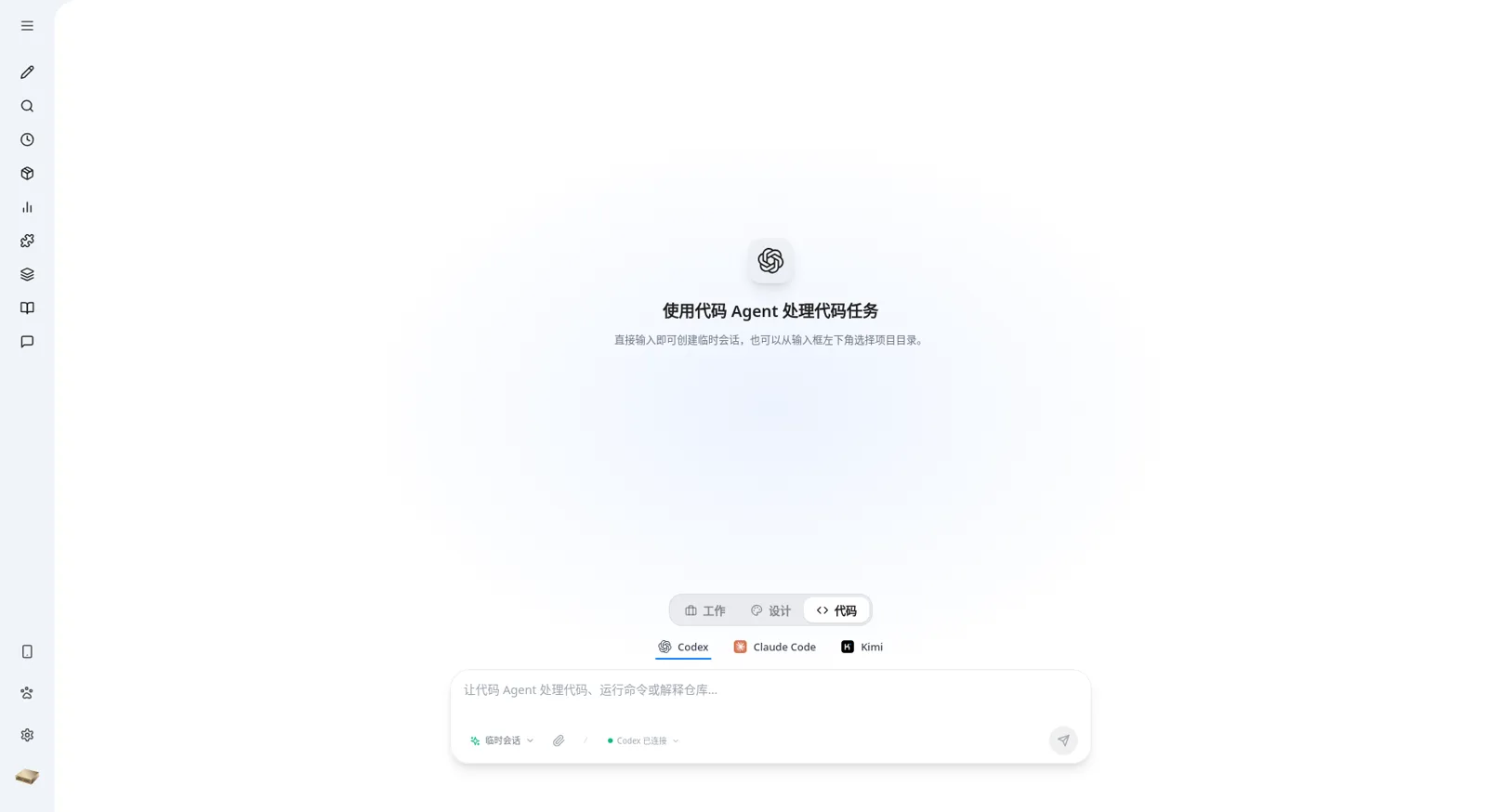 |
| Design mode for posters and data visualizations | Code mode with Codex, Claude Code, and Kimi |
 |
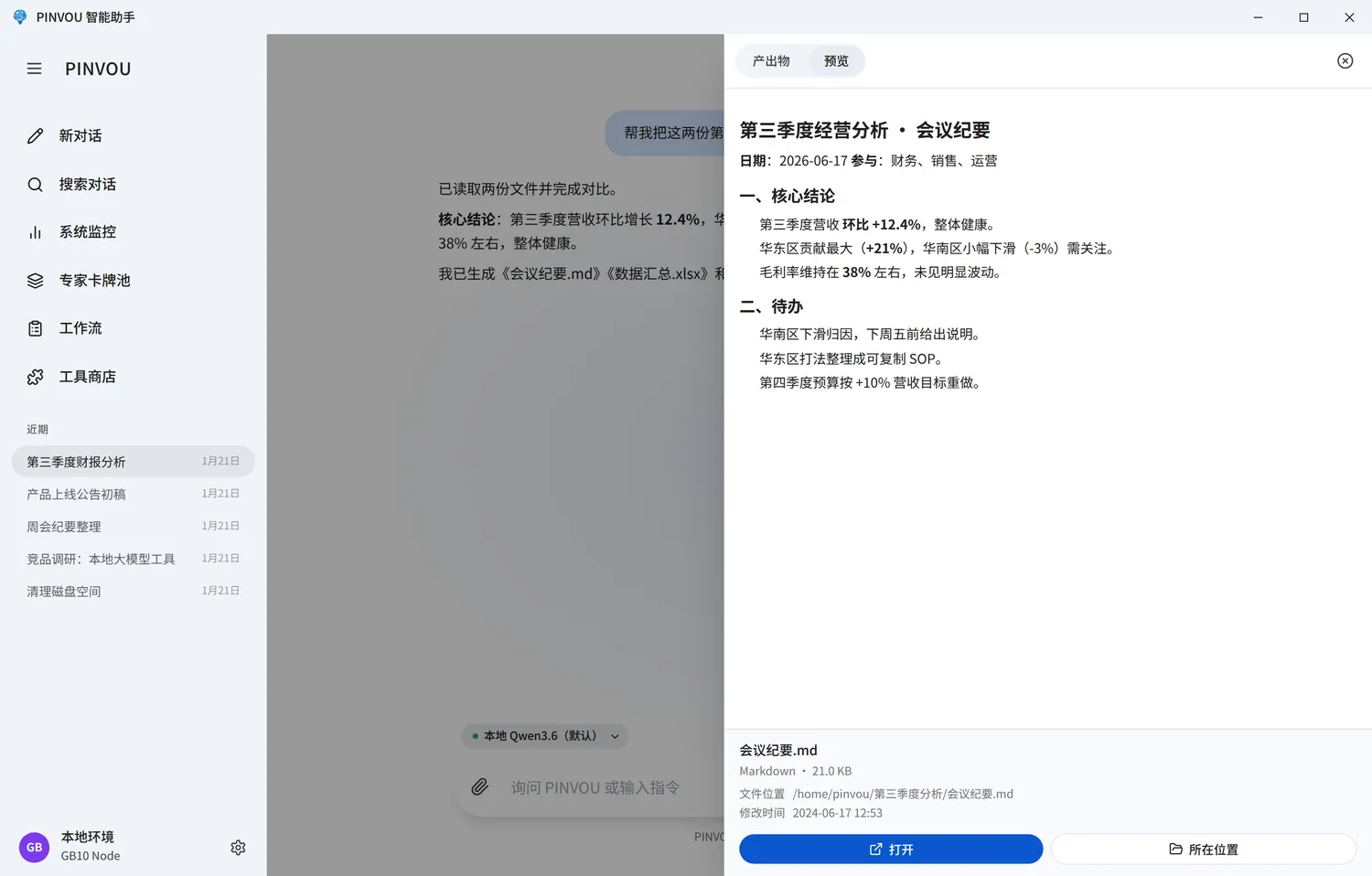 |
| Extend the agent with tools and connectors | Preview and deliver generated artifacts |
🤖 Model Access
Pinvou Agent works with local vLLM and any OpenAI-compatible API. Save multiple model configurations in the app and switch between them per session. Built-in templates cover local vLLM, DeepSeek, Kimi, Qwen, Doubao, MiniMax, Zhipu, and MiMo — or fill in any custom compatible endpoint.
Local vLLM example:
export DEEPSEEK_BASE_URL="http://127.0.0.1:8000/v1"
export DEEPSEEK_API_KEY="local-no-auth"
export DEEPSEEK_MODEL="your-model-name"
Endpoints, model names, and API keys can also be managed directly in the application settings. For a non-loopback plain HTTP endpoint in a trusted development network, explicitly set DEEPSEEK_ALLOW_INSECURE_HTTP=1.
🚀 Quick Start
Prerequisites
- Git with submodule support
- Node.js and npm
- A current Rust toolchain
- The Tauri 2 system dependencies for your platform
- An accessible OpenAI-compatible model endpoint
The source tree supports Linux, Windows, and macOS. The initial macOS target is Apple Silicon on macOS 11 or later.
Run from source
git clone --recursive https://github.com/Pinvou/pinvou-agent.git
cd pinvou-agent/pinvou3-app
npm ci
cd ..
./pinvou3-app/run-dev.sh
If you cloned without submodules:
git submodule update --init --recursive
🏗️ Architecture


](https://github.com/Pinvou/pinvou-agent/actions/workflows/pr-check.yml)
React + Vite UI
       ↕ Tauri commands / events
pinvou3-app (desktop orchestration)
       ↕ EngineHandle / AgentHarness
CodeWhale (agent engine submodule)
       ├─ OpenAI-compatible model services
       ├─ MCP servers and CLI connectors
       └─ Skills, Commands, Hooks, and Compaction
CodeWhale provides the agent engine: model calls, streaming, tool execution, sessions, MCP, Skills, hooks, and compaction. pinvou3-app/ owns the desktop UI, runtime configuration, orchestration, and operating-system integration — it never re-implements engine capabilities.
| Extension goal | Where it belongs |
|---|---|
| Add a domain agent or tool bundle | A SKILL.md package |
| Connect an external API | An independent MCP server or connector |
| Guide model behavior | Bundle instructions (instructions.md) |
| Change desktop UI or system integration | pinvou3-app/ |
| Fix a reusable engine issue | The CodeWhale fork, following the fork policy |
📁 Repository Layout
pinvou3-app/          Tauri 2 + React/Vite desktop application
CodeWhale/            Agent engine submodule
pinvou3-app/resources/mcp-servers/
                      Independent local MCP servers
workflows/            Reusable workflows
scripts/              Tests, guards, build, and release helpers
docs/                 Architecture and maintenance documentation
🧪 Development Checks
Run these commands from the repository root:
(cd pinvou3-app && npm run lint:ui)
(cd pinvou3-app && npm run build:ui)
(cd pinvou3-app && npm test)

(cd pinvou3-app/src-tauri && cargo test --lib -- --test-threads=1)

./scripts/fork-guard.sh --fast
🤝 Contributing
Contributions are welcome! Please read CONTRIBUTING.md for the contribution workflow and CI gates, and docs/fork-policy.md for CodeWhale maintenance rules. By participating, you agree to our Code of Conduct.
💬 Community & Security
- 🐛 GitHub Issues — reproducible bugs and focused feature requests
- 💡 GitHub Discussions — questions and ideas (community support is best-effort, see SUPPORT.md)
- 🔒 Do not report security vulnerabilities in public issues — use the private channel in SECURITY.md or email
[email protected]
Licensing, third-party attribution, SBOM, and brand-use boundaries are documented in THIRD_PARTY_NOTICES.md, docs/sbom.md, and TRADEMARKS.md.
🔗 Friendly Links
⭐ Star History