

The open-source agent harness - the runtime layer that turns an LLM into a working agent





TrueForge
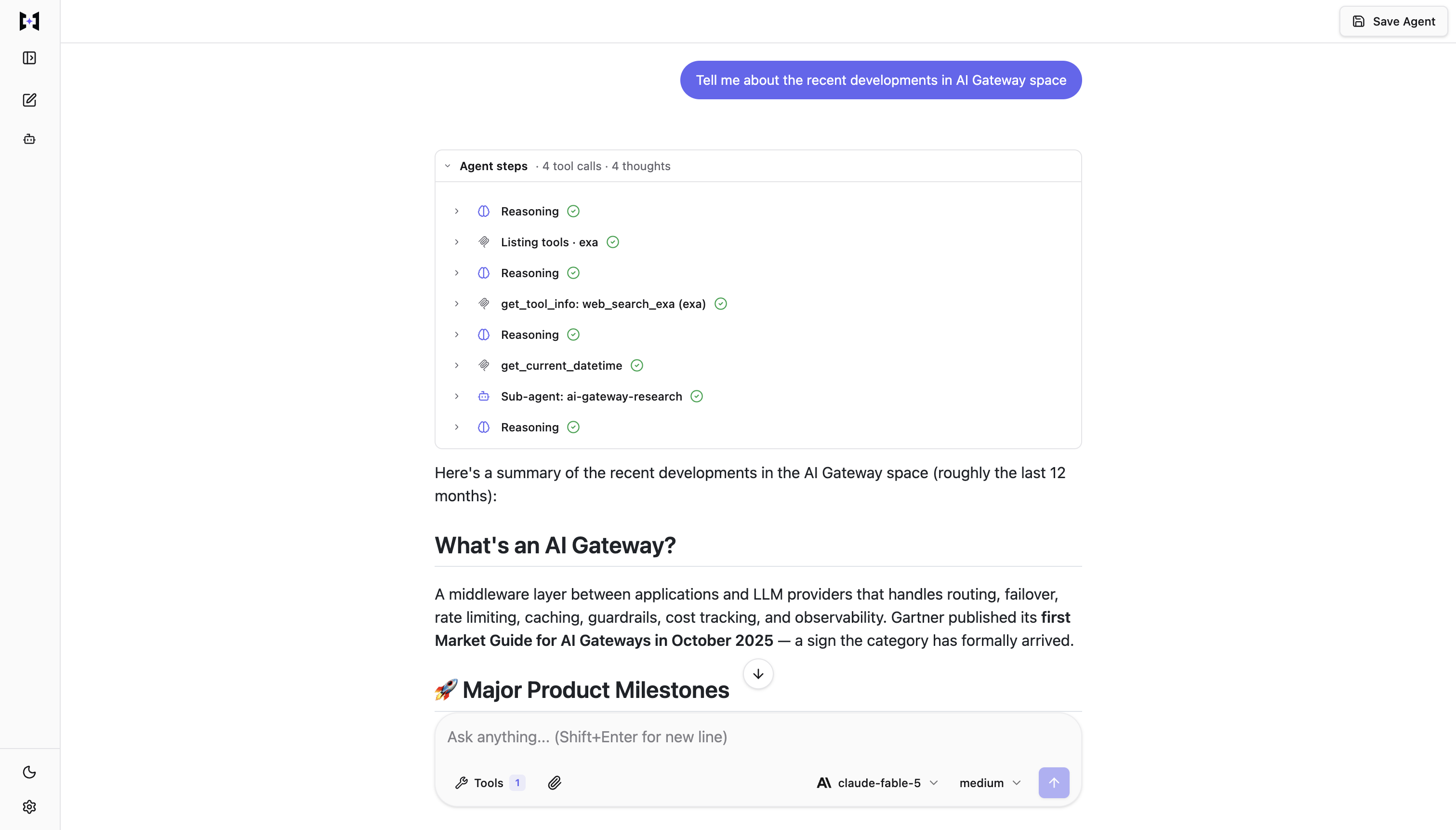
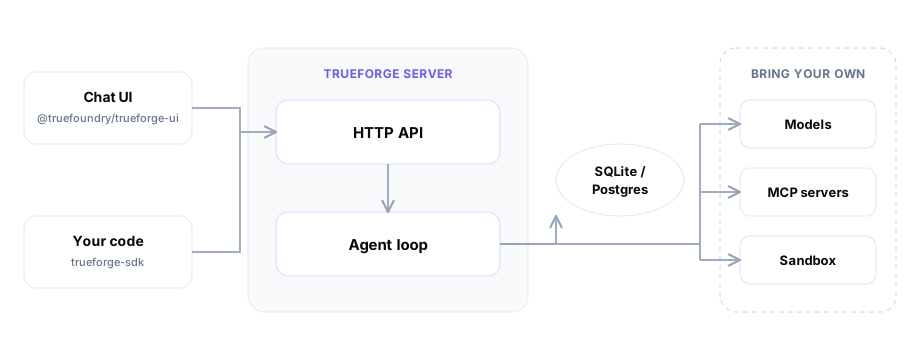
TrueForge runs the agent execution loop for you - model calls, MCP tools, skills, sandboxing, approvals, context management, and session state - and exposes it three ways: a chat UI, an HTTP API with a TypeScript SDK, and an embeddable UI SDK.
Why TrueForge?
Building an agent is easy. Running one well is not - you need streaming, session persistence, tool servers, sandboxing, approvals, and a UI. TrueForge gives you that out of the box:
- Initial setup from catalogs - configure models, MCP servers, skills, and a sandbox once; agents pick from what you connected. Presets come from shipped YAML catalogs you can customize.
- Any model provider - OpenAI, Anthropic, Google Gemini, and other catalog providers, or any OpenAI-compatible endpoint.
- MCP tools - remote MCP servers with header auth or OAuth, including in-chat authorization.
- Skills - git-backed
SKILL.mdinstruction packs, loaded on demand in the sandbox. - Sandbox as a tool - isolated code/file execution (Daytona today; more providers planned), provisioned only when needed. Secrets stay in the harness.
- Human checkpoints - tool approval, ask-user-questions, and Generative UI in chat.
- Context engineering - subagents, deferred tool loading, Code Mode, large-result offloading, and compaction.
- Chat UI + SDK - use the bundled UI, automate with
@truefoundry/trueforge-sdk, or embed@truefoundry/trueforge-ui.
It scales down and up: local mode (one process, SQLite) or hosted mode (Postgres + Redis, Docker Compose or Helm).
Getting started
Run TrueForge (local, Docker Compose, or Kubernetes), connect a model and tools, and build your first reusable agent in the Quickstart.
To work on TrueForge from this repository, see CONTRIBUTING.md.
Architecture
| Mode | Best for | Storage | Extra infra | How to run |
|---|---|---|---|---|
| Local | Personal use, trying it out | SQLite | None | npx @truefoundry/trueforge |
| Hosted | Teams, multi-replica | Postgres | Postgres + Redis | Docker Compose or Helm |
Documentation
| Section | What you'll find |
|---|---|
| Introduction | What an agent harness is and how TrueForge fits together |
| Quickstart | Run local or hosted, build your first agent |
| Initial Setup | Models, MCP, skills, sandbox - catalogs and overrides |
| Create an Agent | Select resources; tool approval, questions, Generative UI |
| Harness Capabilities | Sandbox-as-tool, subagents, deferred tools, Code Mode, compaction |
| Setup Login | Optional OIDC for shared deployments |
| Benchmarking | Cost/accuracy vs Claude Managed Agents and deepagents |
| SDK | TypeScript client: sessions, turns, events |
| Chat UI | Bundled UI and embedding @truefoundry/trueforge-ui |
| API Reference | OpenAPI paths and schemas |
Benchmarks
We compare TrueForge against Claude Managed Agents and deepagents on the same tasks, tools, and model - same accuracy, lower cost. Reproduce it from benchmark/. Write-up: Benchmarking.
Contributing
We love contributions - bug reports, features, and docs fixes. See CONTRIBUTING.md and our Code of Conduct.
To report a security vulnerability, follow SECURITY.md instead of opening a public issue.
License
TrueForge is released under the MIT License.