
 # SayIt
**Just say it, and write well**
Open-source voice typing for Windows. Press a shortcut and speak—SayIt transcribes, cleans up, and inserts polished text wherever your cursor is.
[](./LICENSE)
[](https://github.com/crosswk/SayIt/releases/latest)
[](https://github.com/crosswk/SayIt/releases/latest)
**[Download for Windows](https://github.com/crosswk/SayIt/releases/latest)** · **[Try the web demo](https://sayitapp.site)** · **[简体中文](README.zh-CN.md)**
# SayIt
**Just say it, and write well**
Open-source voice typing for Windows. Press a shortcut and speak—SayIt transcribes, cleans up, and inserts polished text wherever your cursor is.
[](./LICENSE)
[](https://github.com/crosswk/SayIt/releases/latest)
[](https://github.com/crosswk/SayIt/releases/latest)
**[Download for Windows](https://github.com/crosswk/SayIt/releases/latest)** · **[Try the web demo](https://sayitapp.site)** · **[简体中文](README.zh-CN.md)**
](./LICENSE)
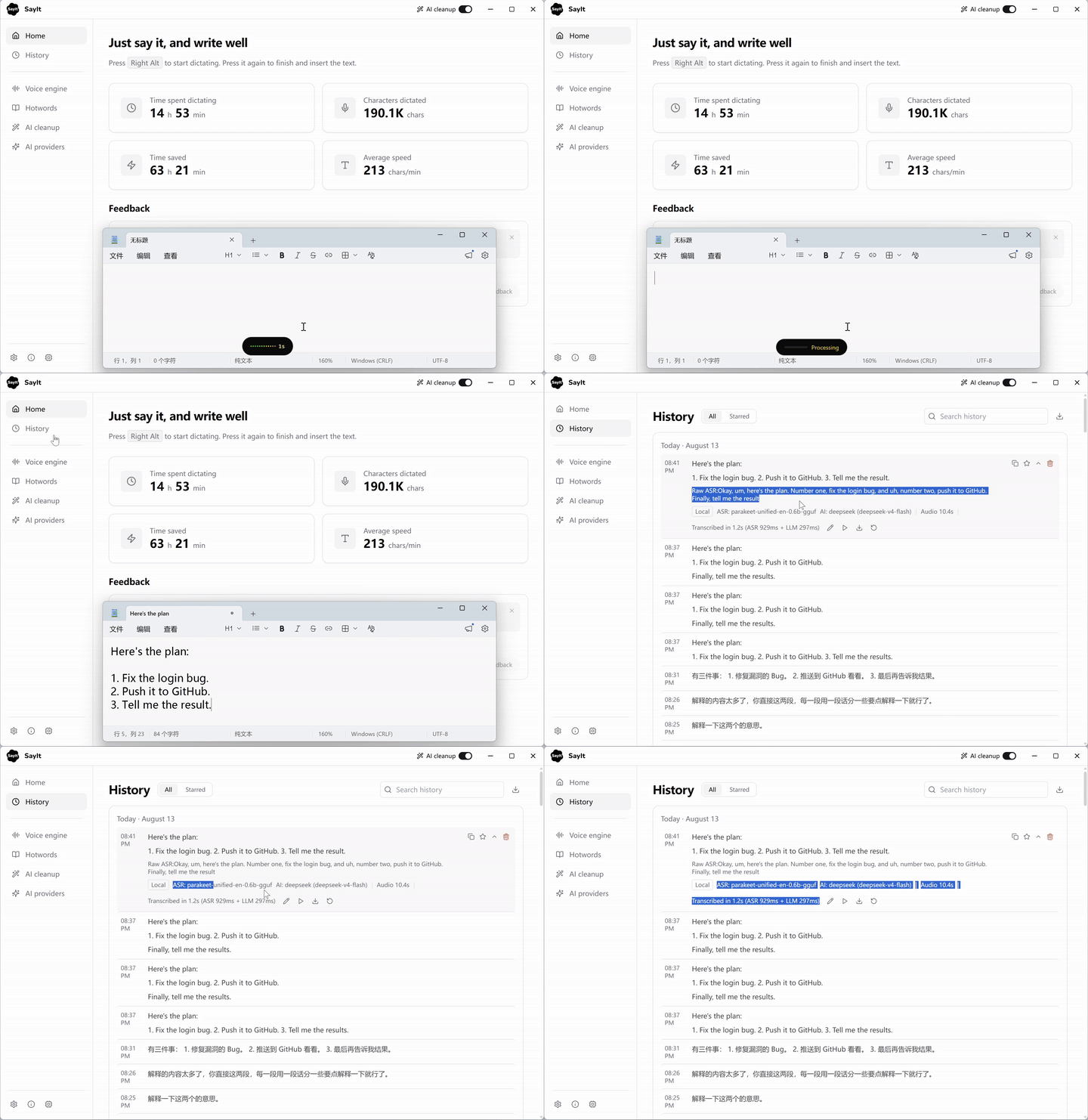 *Trigger the shortcut, speak, and the cleaned-up text is typed in at your cursor — no window switching.*
Why SayIt?
Typing is often the slowest part of working with AI. SayIt turns speech into text you can use immediately, while keeping the important choices in your hands:
- Voice typing anywhere — dictate into editors, chat apps, browsers, and other Windows software.
- Editable AI cleanup — remove filler words, repair recognition errors, format ideas, or keep a faithful transcript. Every prompt is yours to change.
- Flexible speech recognition — use a cloud ASR provider, run a local GGUF model on your own GPU, connect to the public trial server, or host your own backend.
- English and Chinese interface — the UI follows your system language and can be switched at any time.
- Hotwords and per-app rules — improve names and technical terms, then change cleanup behavior automatically for different apps.
- Overlay feedback — a small waveform overlay shows recording state and elapsed time, with optional live captions while you speak.
- Transparent data flow — the app shows which mode is active and where audio and text are processed.
- Local history and diagnostics — review recordings, re-transcribe them, and collect useful troubleshooting details without guesswork.
Choose how it runs
| Mode | Best for | Data flow |
|---|---|---|
| Local mode | Privacy and offline use | Speech recognition stays on your PC. With AI cleanup off, nothing leaves the device. |
| Cloud API mode | The best balance for personal use | Your PC talks directly to the ASR and AI providers you configure. No SayIt server is involved. |
| Server mode | Teams and managed deployments | Audio is processed by a SayIt backend you control—or by the public trial server for a quick start. |
Local recognition ships seven GGUF models, with GPU acceleration when available: Parakeet Unified EN (fastest and most accurate for English), SenseVoice Small, Fun-ASR Nano, Nemotron 3.5 ASR (32 languages), and three Qwen3-ASR sizes. Cloud recognition supports Doubao, Qwen, Xiaomi MiMo, and Groq Whisper; AI cleanup works with DeepSeek, Qwen, Groq, MiMo, Ollama, and any OpenAI-compatible endpoint.
A closer look
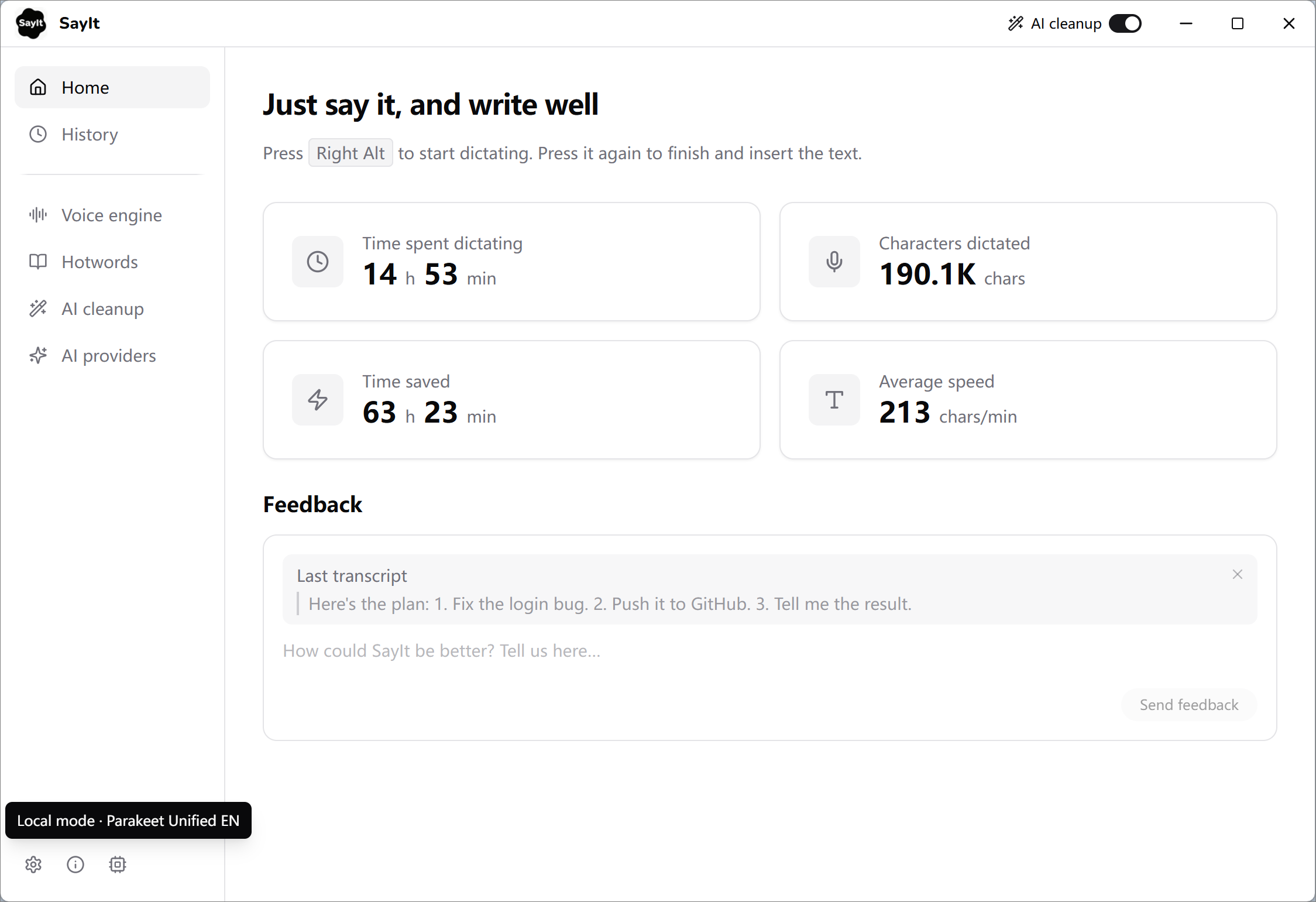 *Home — dictation stats, the active shortcut, and a feedback box that carries your last transcript.*
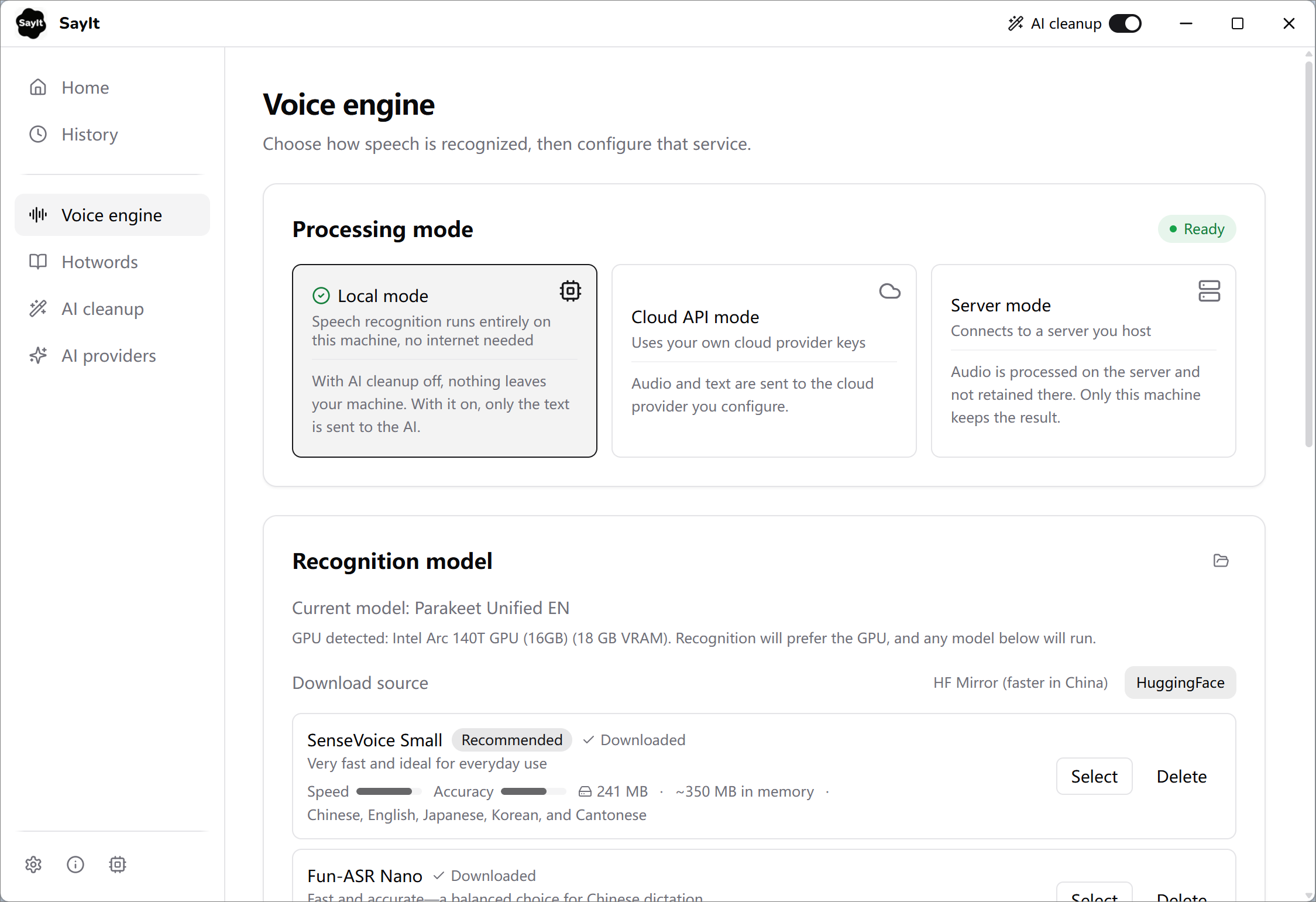 *Voice engine — choose Local, Cloud API, or Server mode, then download and switch recognition models. Detected GPUs are used automatically.*
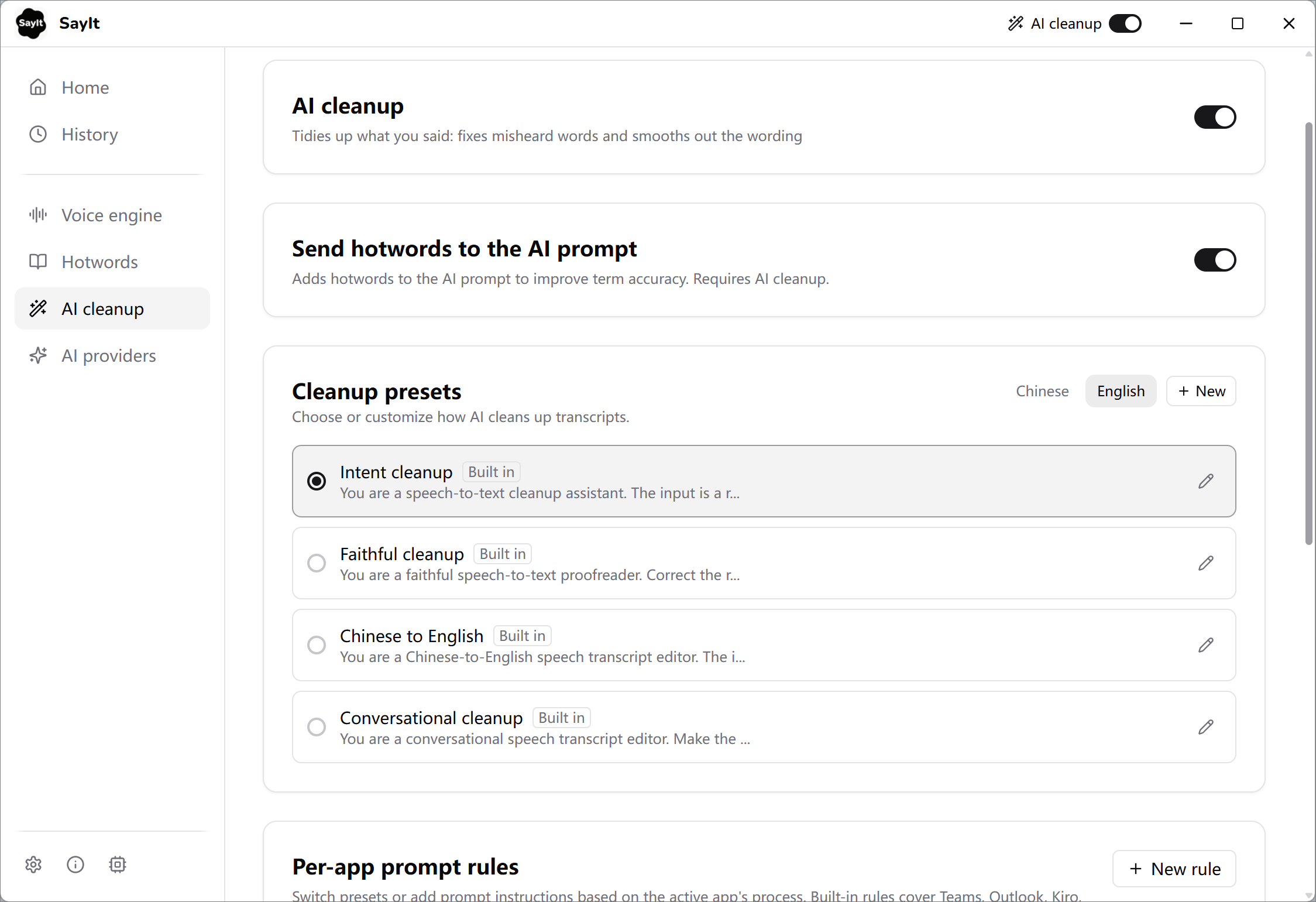 *AI cleanup — every built-in preset is editable, and per-app rules can switch presets based on the app you are typing into.*
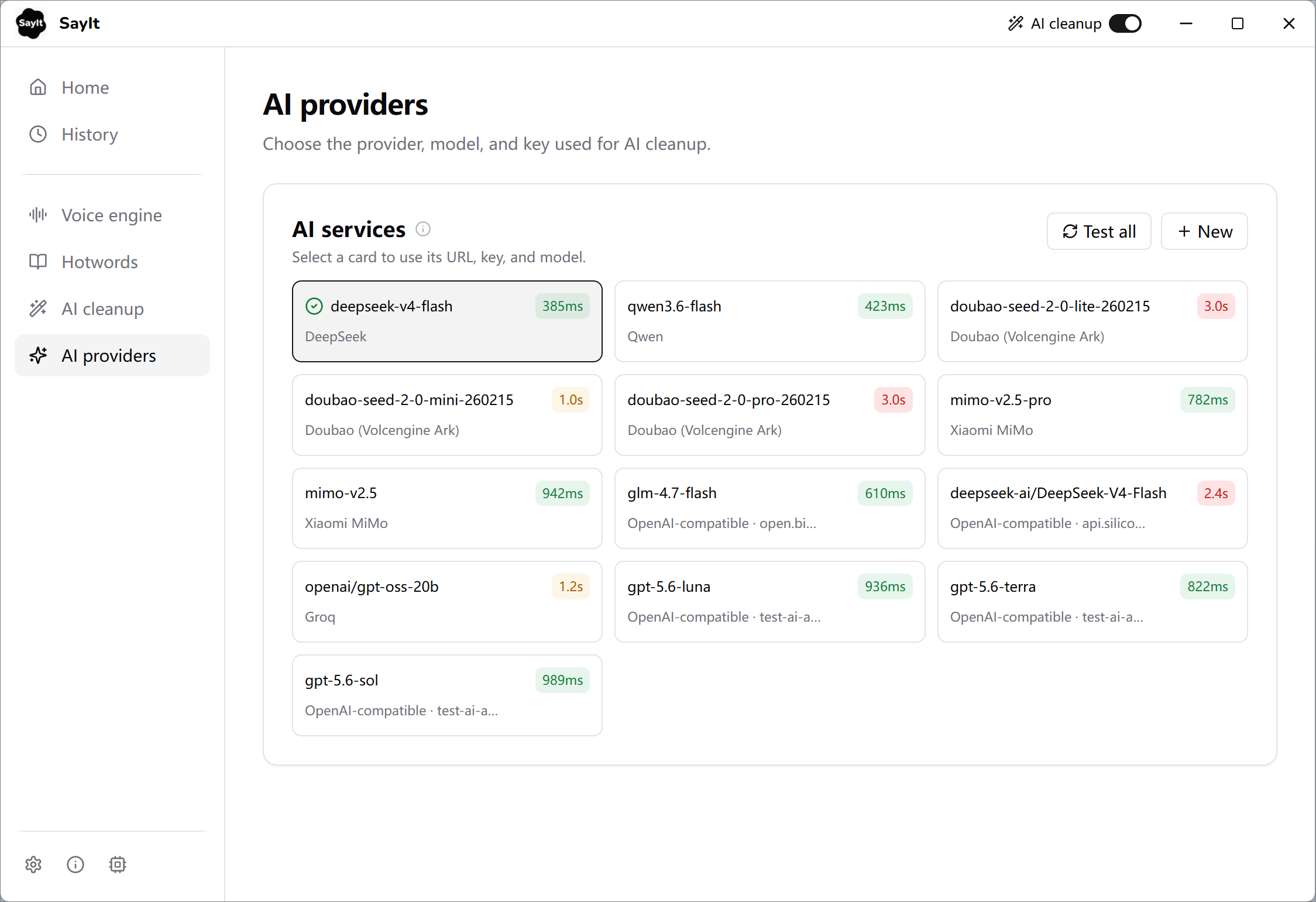 *AI providers — bring your own keys, add any OpenAI-compatible endpoint, and test round-trip latency on every card.*
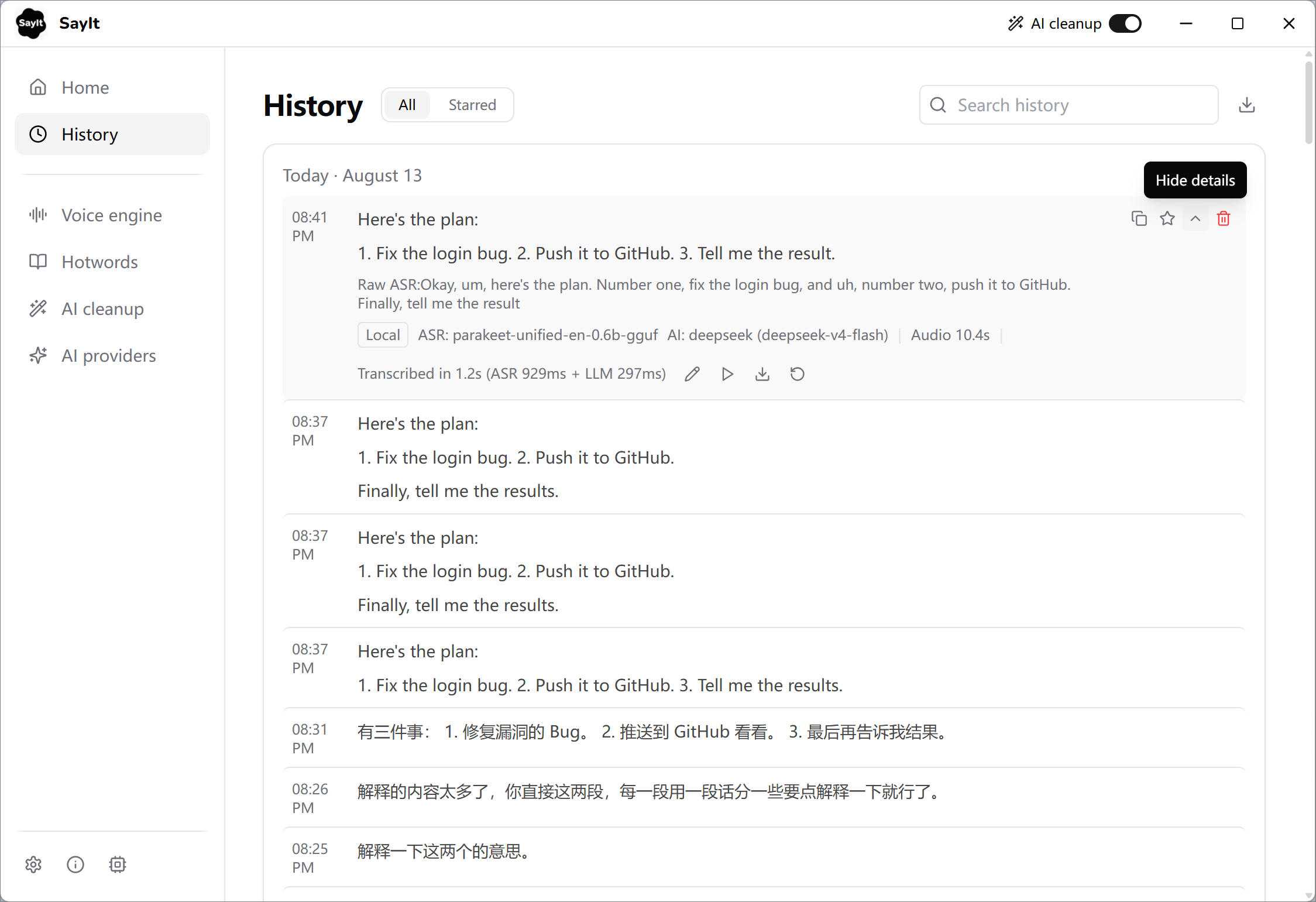 *History — searchable local records. Expand one to see the raw ASR text, timings, audio playback, and re-transcribe.*
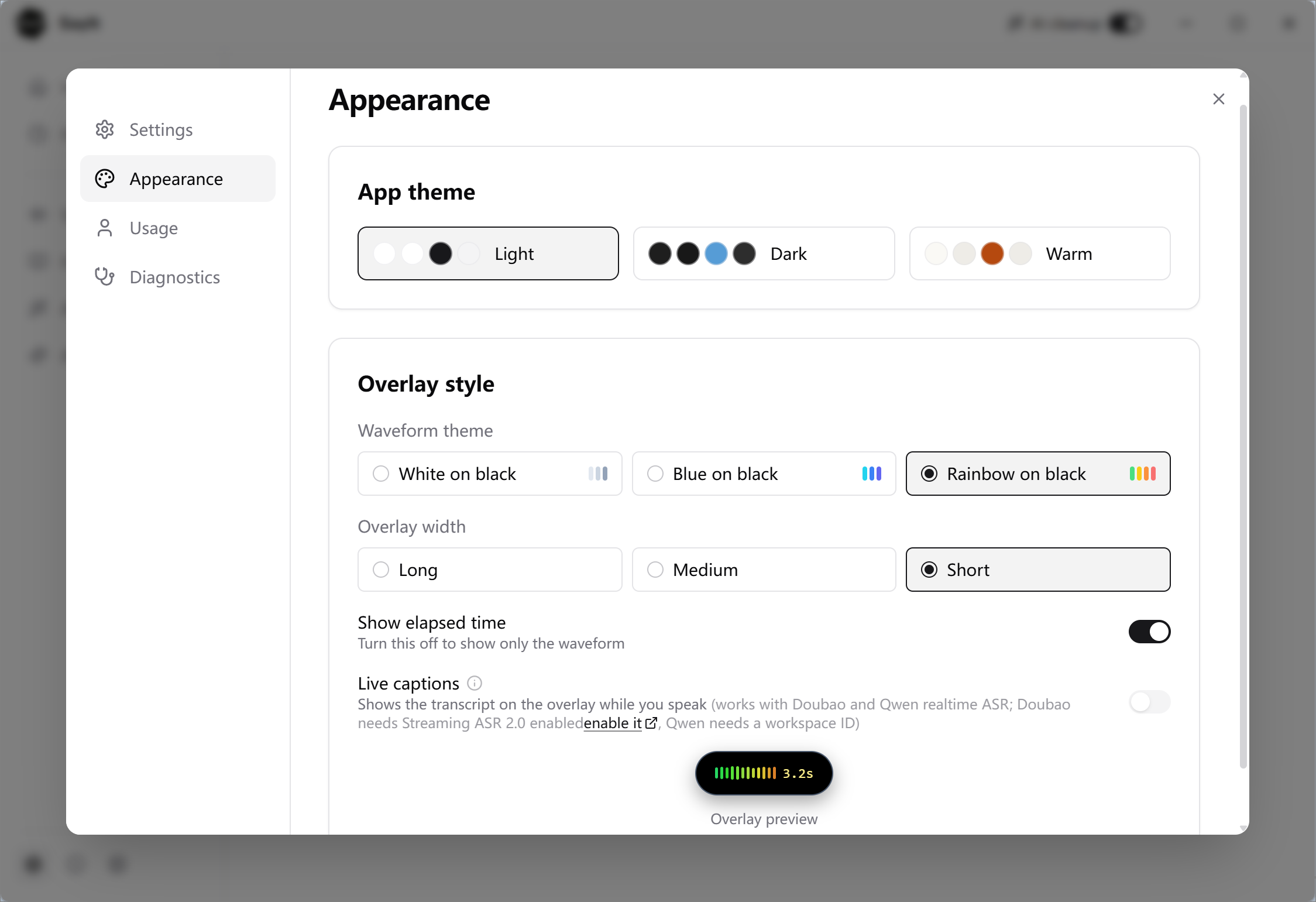 *Appearance — three app themes, waveform styles, overlay width, and live captions with a preview of the overlay.*
Get started
- Download the latest Windows installer.
- Open SayIt and choose a voice engine. The default public server is enough for a quick trial.
- Press the configured shortcut in any app and speak. By default you press once to start and again to finish; hold-to-talk is available too, under a separate shortcut.
For regular use, choose Local mode or add your own cloud provider keys from the in-app settings. The provider console links are available beside each key field.
Self-hosting
The backend combines FastAPI, WebSocket streaming, Qwen3-ASR, and an optional OpenAI-compatible cleanup model. Docker Compose is the recommended deployment path.
git clone https://github.com/crosswk/SayIt.git
cd SayIt/server
cp config.example.yaml config.yaml
cp .env.example .env
# Add your provider and deployment settings to .env/config.yaml
docker compose up -d --build
GPU speech recognition requires an NVIDIA GPU; 16 GB or more of VRAM is recommended for the default server model. See the server guide for configuration, deployment, security, and API details.
Performance reference
Qwen3-ASR-1.7B with vLLM on an AWS EC2 g5.xlarge (NVIDIA A10G 24 GB):
| Audio length | ASR latency | RTF |
|---|---|---|
| 30 seconds | ~0.8 s | 0.025 |
| 1 minute | ~1.6 s | 0.026 |
| 2 minutes | ~2.1 s | 0.017 |
| 3 minutes | ~2.5 s | 0.014 |
| 5 minutes | ~3.0 s | 0.010 |
Development
Desktop client
cd client
npm install
npm run tauri dev
Requirements: Node.js 18+, Rust 1.75+, CMake 3.20+, and the Vulkan SDK. The first native build compiles the C++ speech engine and may take around 20 minutes; later builds use the cache.
On non-English Windows installations, set CL=/utf-8 before building so MSVC reads UTF-8 source files correctly.
Server
cd server
python3 -m venv .venv
source .venv/bin/activate
pip install -r backend/requirements.txt
cd backend
uvicorn app.main:app --port 8000
Requirements: Python 3.10+ and, for GPU inference, an NVIDIA GPU with CUDA.
Project layout
SayIt/
├── client/       # Tauri + React desktop client
├── server/       # FastAPI backend, gateway, web demo, and deployment files
├── docs/         # User guides and images
└── dev-docs/     # Internal development notes
Contributing
Bug reports, focused pull requests, and feature discussions are welcome. Please open a GitHub issue or read the contribution guide before submitting a larger change.
Contributors
 crosswk |
 Claude (Anthropic) |
|---|---|
License
GNU Affero General Public License v3.0
You may use, modify, and self-host SayIt. If you distribute a modified version or run it as a network service, the corresponding source must remain available under the same license.