

Nomi
Bring your own models. Let your AI assistant direct them.
Nomi is an open-source desktop workbench for AI video. Connect any OpenAI-compatible endpoint or your local ComfyUI, then let Claude Code, Codex, or Cursor drive it over MCP — storyboard, references, generation, and an editable first cut on a real timeline.
Your projects, prompts, and API keys stay on your machine. No account. No telemetry.
简体中文 · Website · Download · Community · For Teams · Watch the 60s film · Documentation
WeChat / 微信联系
Join the Nomi user group / 加入 Nomi 用户群

Scan to join the user group. / 扫码加入 Nomi 用户群
Product feedback from the group goes directly into ongoing iteration. / 群内反馈会直接进入产品迭代。
Maintainer & project collaboration / 添加作者与项目合作

If the group QR expires, or for custom builds, integrations, white-label delivery, and ongoing iteration, add TZ857886159.
群码失效,或沟通定制开发、系统集成、贴牌交付与持续迭代,请添加作者微信 TZ857886159。
International community: GitHub Discussions · Project inquiry: Business Inquiry



Why Nomi
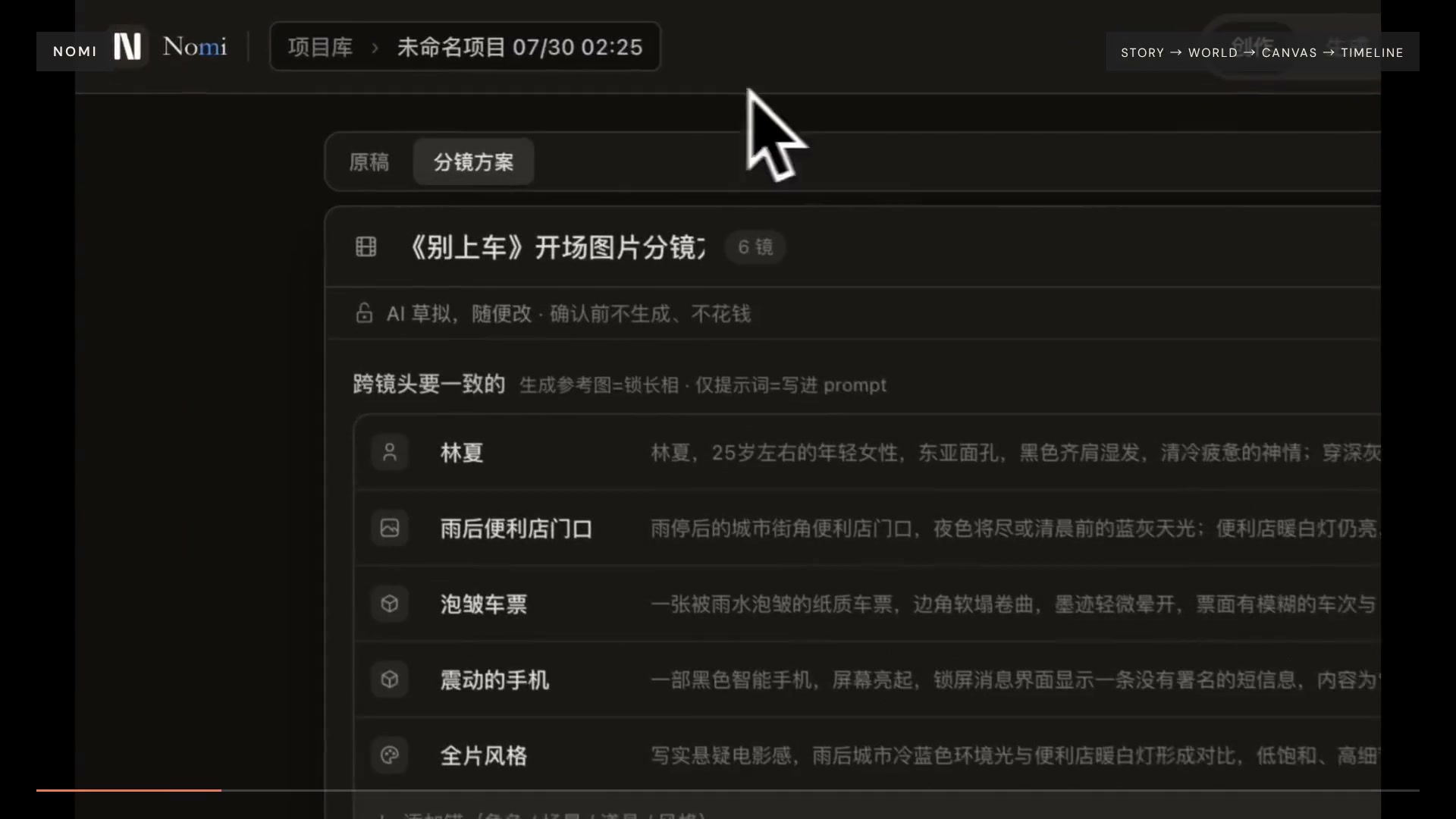
- One project, not eleven tabs. Story, shots, references, generated takes, and the timeline live in the same file on your disk instead of being copied between disconnected tools.
- Shot 4 and shot 9 should be the same person. Lock characters, locations, props, camera, and style once; later shots inherit them instead of restarting from a new prompt.
- Bring your own stack. Around ten curated providers are pre-wired, and any OpenAI-compatible, Anthropic, Responses, or relay endpoint can be added by pasting a URL and a key — no rebuild. A local ComfyUI is a provider like any other: Nomi converts the normal "Save" workflow format, so the workflows you download actually import, and it diffs the graph against
/object_infoto tell you which custom nodes and model files you are missing before you run it. - Your agent can operate it. Fifteen MCP tools let Claude Code, Codex, or Cursor create projects, lay out shots, wire references, run generation, and control a durable production run. Reversible direction and sample choices receive a server-issued human confirmation in the originating client; budgets, per-shot paid submissions, rough-cut acceptance, and export stay in Nomi, enforced in the main process.
Download
| System | Build | Download |
|---|---|---|
| macOS | Apple Silicon | Nomi-mac-arm64.dmg |
| macOS | Intel | Nomi-mac-intel.dmg |
| Windows | Windows 10 / 11 | Nomi-windows-setup.exe |
Quick start
- Connect a model. Choose a curated provider and enter one API key, or add your own OpenAI-, Responses-, or Anthropic-compatible endpoint.
- Write the intent. Start with a story or one shot. Ask Nomi—or a connected AI assistant over MCP—to build an editable storyboard and canvas plan.
- Direct and export. Review visual anchors, generate images or video with your configured models, choose the results, arrange the timeline, and export MP4.
Disclosure: one curated provider (APImart) is linked with a referral code. You always pay providers directly with your own key at their price — Nomi never proxies or resells inference, and every provider can be replaced by your own endpoint.
Read the user guide, provider guide, or CLI + MCP guide.
Community
Join GitHub Discussions to share workflows, report friction, and follow what is being built next. WeChat users can use the group and maintainer QR codes at the top of this README; the Chinese README contains the full Chinese guide.
For Teams
Nomi is open source for creators. We also provide Custom builds, Integrations, White-label / commercial licenses, and Ongoing iteration for teams that need Nomi adapted to a real delivery workflow.
Discuss a project. The form is public: share only a non-confidential summary and never post credentials, private contact details, budget details, or NDA-protected information.
Developers
Requires Node.js 20+ and pnpm.
git clone https://github.com/aqm857886159/Nomi.git
cd Nomi
corepack enable
pnpm install
pnpm dev
electron/    Electron main process, local runtime, storage, and model calls
src/         React + Vite + Tailwind workbench
skills/      Skill Pack v2; see docs/skill-pack-format.md
Useful checks:
pnpm run test
pnpm run typecheck
pnpm run gates
Contributing
Bug reports, feature proposals, documentation, and code contributions are welcome. External contributors sign the one-time Contributor License Agreement when a pull request is opened.
License
Current releases are licensed under AGPL-3.0-only; historical releases published under Apache-2.0 keep their original license.
See LICENSE. Contact the maintainer through the Business inquiry for a commercial license covering closed-source integration or white-label distribution.