
Image Prompt Library



Language: English | 繁體中文 | 简体中文
Image Prompt Library is a local-first visual library for generated images and the prompts behind them. Save useful image results, preserve the prompt and source metadata, organize references into collections and tags, and find them again as an image-first catalogue.
Your private library stays on your machine: local SQLite, local image files, no hosted database, no built-in cloud sync, and no account required.
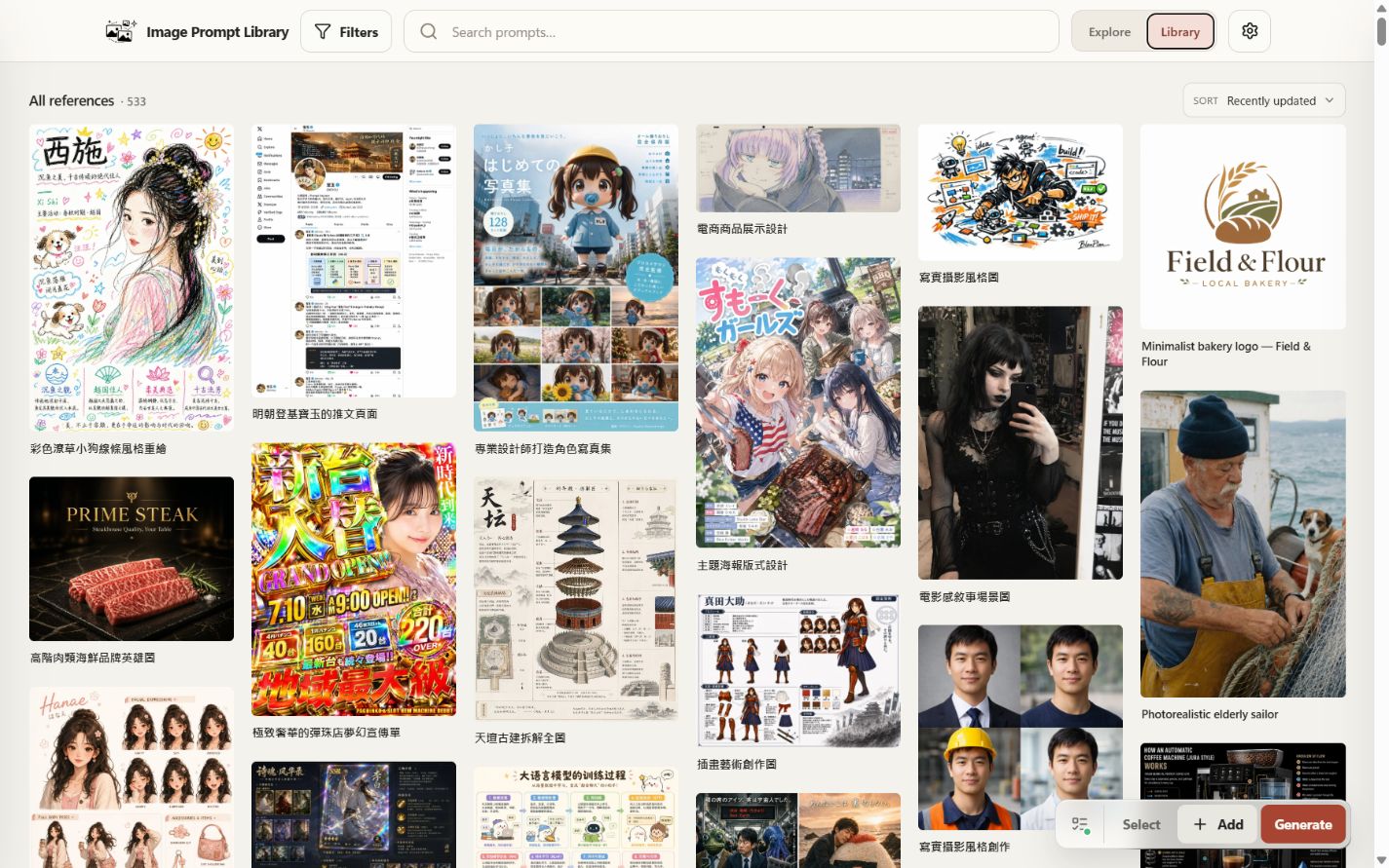
Your local Library keeps images, prompts, collections, and tags together.
Introduction
Image Prompt Library is built for the moment when image-generation prompts become reusable knowledge rather than one-off chat messages.
If you want to manage your own private prompt/image library, install the app locally. Local installs let you add and edit your own images and prompts, organize them into collections and tags, search them later, and optionally generate new images through ChatGPT / Codex OAuth while keeping your SQLite database and image files on your own computer.
Current stable release: GitHub Latest. It includes native Windows installation, structured search and sorting, batch reference management, cleanup tools, versioned install/update/rollback, a calmer first-run experience, and hardened OAuth session recovery for optional local generation.
Quick start
Windows (v0.8.0+)
Native Windows support begins with v0.8.0. Windows 10/11, PowerShell 5.1+, and Python 3.10+ are required; the installer does not install Python.
irm https://raw.githubusercontent.com/EddieTYP/image-prompt-library/main/scripts/install.ps1 | iex
A successful install starts the app in the background and opens your browser. Stop it with image-prompt-library stop; see the installation guide for updates, rollback, diagnostics, private-data locations, and the inspect-first install path.
The installed bare command is a .cmd shim and remains usable from Windows PowerShell under the Restricted execution policy; its internal PowerShell delegate is launched with an explicit per-command bypass.
macOS, Linux, and WSL
Normal release installs require Python 3.10+ and curl. They do not require Node.js. Windows users can also use this Unix path through WSL 2.
curl -fsSL https://raw.githubusercontent.com/EddieTYP/image-prompt-library/main/scripts/install.sh | bash
image-prompt-library start
image-prompt-library start runs the Unix/WSL local server in the current terminal. Keep it open, then visit http://127.0.0.1:8000/ in your browser. Press Ctrl-C in that terminal to stop the server.
A fresh local library starts empty. Use + Add in the app to create your first private prompt card, or import an optional starter sample pack if you want demo references first:
image-prompt-library sample-data en       # English collection names
image-prompt-library sample-data zh_hans  # Simplified Chinese collection names
image-prompt-library sample-data zh_hant  # Traditional Chinese collection names
The starter sample pack can be installed with localized collection names in English, Simplified Chinese, or Traditional Chinese. The underlying sample references keep their source titles/prompts and available prompt variants; this choice mainly affects the imported collection labels and default sample-pack language metadata.
For the larger Traditional Chinese awesome-gpt-image-2 sample pack:
image-prompt-library sample-data zh_hant awesome-gpt-image-2
For a quick local check:
image-prompt-library status
image-prompt-library doctor
For update, rollback, service mode, uninstall, WSL, and source-development setup, see Documentation.
What you can do
- Browse visually: discover Collections and natural-ratio image feeds in Explore, or manage prompt references in Library.
- Choose a light appearance: switch between Red, Green, and Purple browser-local colour presets without changing library data.
- Search and filter: search titles, prompts, tags, collections, sources, and notes; combine search with collection filters.
- Preserve prompt provenance: keep original/source prompt variants and translated or converted variants side by side.
- Manage a private library: add/edit your own prompt cards, result images, optional reference images, tags, notes, source URLs, and collections.
- Copy reusable prompts: open an item, choose the prompt language/source variant, and copy it with one click.
- Generate locally: connect optional ChatGPT / Codex OAuth in a local install with a ChatGPT subscription that has image-generation access, fill
{{variables}}in reusable prompts, generate 1, 3, 5, or 10 results, then review each result to save, discard, retry, or attach it to its unchanged source item when available. - Stay local-first: your database and image files remain in your local library directory.
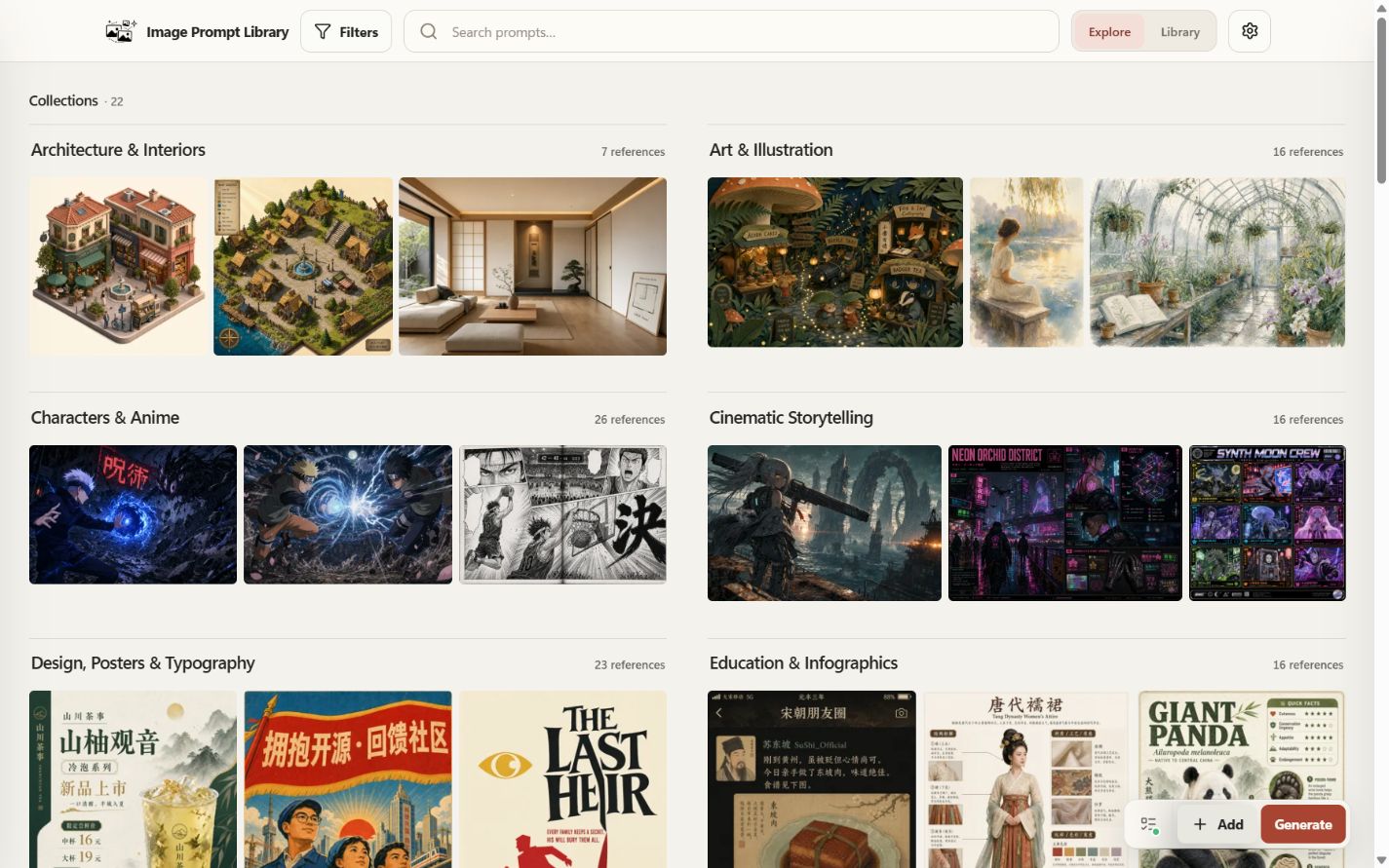
Browse saved references by collection in Explore.
Searching the library
Use the search box at the top of the app to narrow visible references. Search combines plain keywords across item titles, prompt text, tags, collection names, source metadata, and notes with lightweight structured filters.
Examples:
apple
poster design tag:poster
product photo collection:Ideas
source:awesome model:gpt-image-2
favorite:true has:image created:30d updated:7d
Use structured search filters such as tag:poster, collection:Ideas, source:awesome, model:gpt-image-2, favorite:true, has:image, created:30d, and updated:7d alongside plain keywords. Use the visible sort control to order references by updated date, created date, title, source, or model.
Search also works with collection filters: choose a collection from Filters, then type a keyword or structured filter to search inside that collection.
Select multiple cards to favorite, move, archive, restore, or delete references together; use archived:true to review archived references before restoring them. In local Config, preview cleanup before removing broken image records or unreferenced media stored in the local library folder.
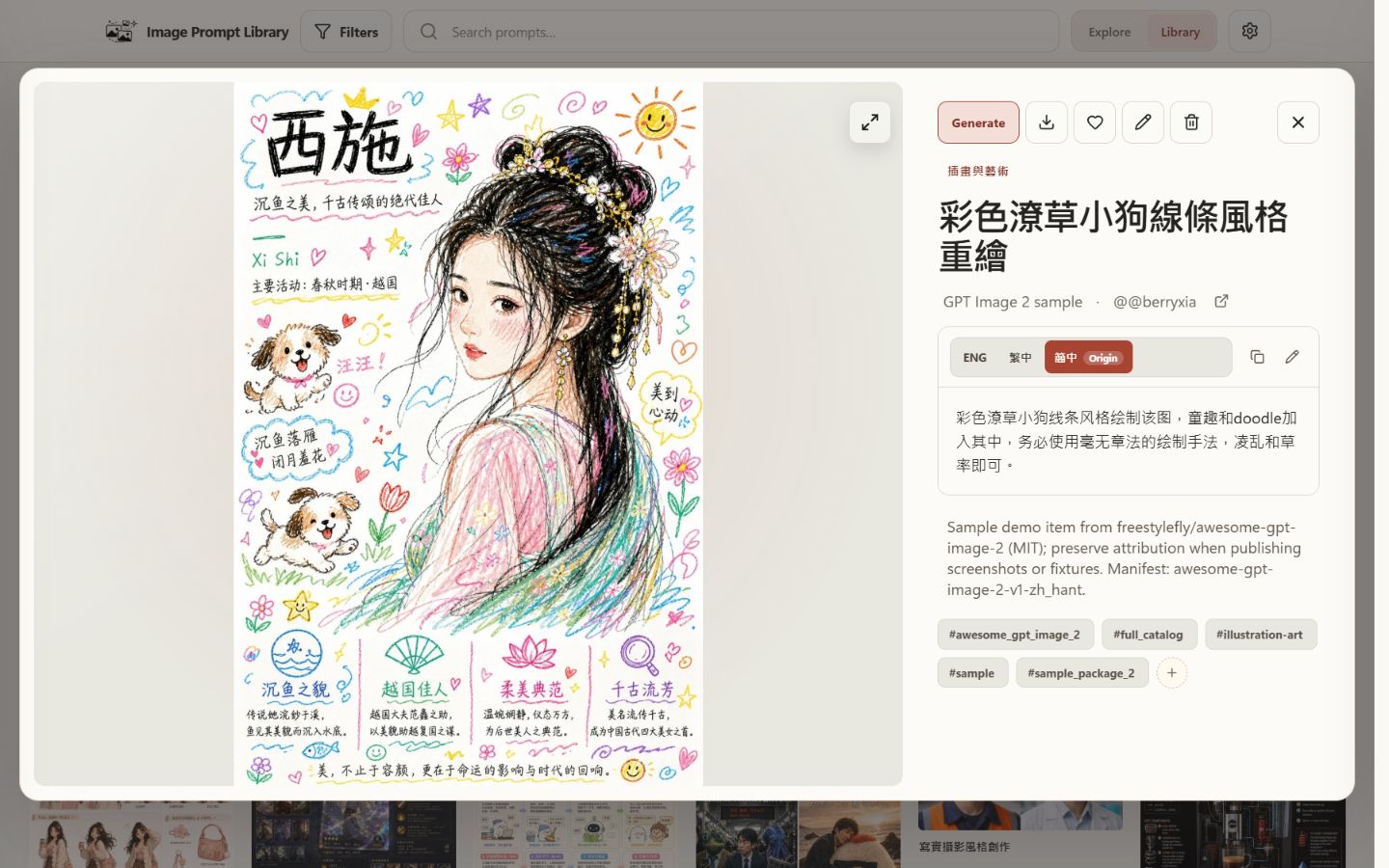
Open a reference to view its image, prompt, tags, and source.
Local generation
Local installs can optionally connect ChatGPT / Codex OAuth and generate images without adding an OpenAI API key to the app. You will need a ChatGPT account/subscription with access to image generation.
Basic flow:
- Start the local app and open Config.
- Connect ChatGPT / Codex OAuth and approve the device-login flow in your browser.
- Return to Image Prompt Library and generate from a new prompt or from an existing saved reference. Prompts can include variables such as
{{subject}}or{{style}}; the composer asks for values before sending the final prompt. - Review completed results from the Work queue.
- Choose Save as new item, or use Attach to current item when the result came from an unchanged saved reference. You can edit the new item's metadata before saving.
The public GitHub Pages demo never performs live generation and does not expose mutation controls.
For current generation behavior, limitations, and benchmark notes, see docs/GENERATION.md.
Online read-only demo
Browse the public demo at https://eddietyp.github.io/image-prompt-library/. It contains 533 attributed prompt/image references from wuyoscar/gpt_image_2_skill (CC BY 4.0) and freestylefly/awesome-gpt-image-2 (MIT). Each reference keeps its source and license; prompt variants are shown when available.
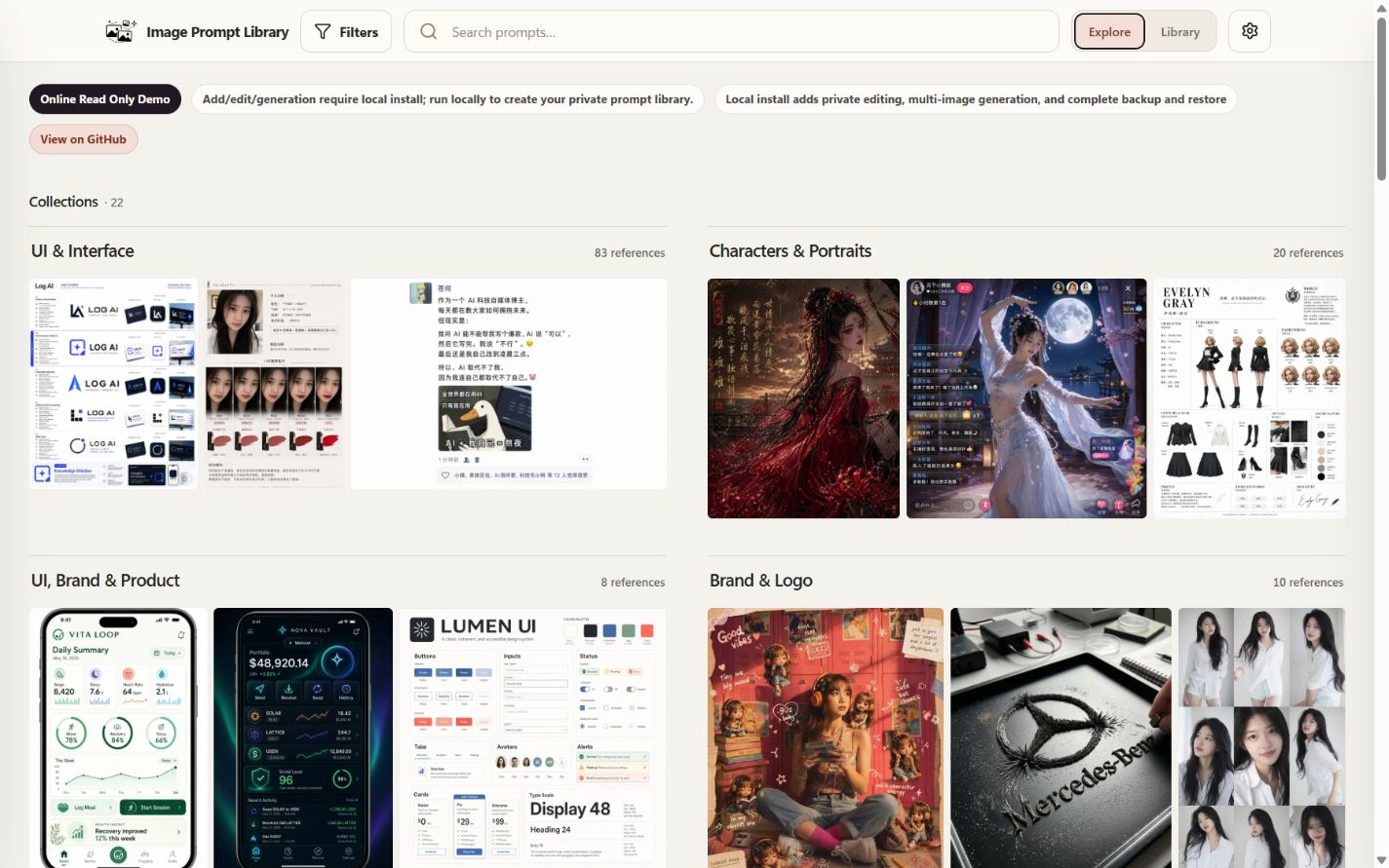
The online demo is read-only; editing and generation require a local install.
Use the demo to browse collections, search examples, inspect prompts, and copy public sample prompts. Editing, private-library management, and generation are available only in a local install.
Sample data and attribution
For first-time setup, Image Prompt Library can import optional sample bundles so you have real prompt/image references to explore right away. These samples come from upstream open projects and are included with clear links, thanks, and license notes. They are not presented as original Image Prompt Library artwork or prompts; they remain connected to their original creators and licenses.
| Sample source | License | Notes |
|---|---|---|
wuyoscar/gpt_image_2_skill |
CC BY 4.0 | First public sample package and default starter sample library. |
freestylefly/awesome-gpt-image-2 |
MIT | Larger Chinese prompt/image gallery used by the current public demo and optional sample pack. |
Thank you to both upstream projects for making these galleries available. Their prompts and images keep their own source links, attribution, and license terms. Image Prompt Library only provides the local app, import workflow, and browsing/management interface around them; the app code remains licensed separately under AGPL-3.0-or-later.
For sample package details and checksums, see sample-data/README.md.
Documentation
docs/INSTALLATION.md— install, update, rollback, service mode, uninstall, platform notes.docs/GENERATION.md— ChatGPT / Codex OAuth generation workflow, result review, current limitations, benchmark link.docs/BACKUP_AND_RESTORE.md— portable backup payload, credential boundary, validation, and safe restore behavior.docs/DEVELOPMENT.md— source setup, dev mode, configuration, data layout, backups.docs/TROUBLESHOOTING.md— common runtime and setup issues.CONTRIBUTING.md— contributor setup, tests, and project structure.ROADMAP.md— planned work and project direction.
License, privacy, and allowed use
Image Prompt Library's core application code is open source under AGPL-3.0-or-later. Copyright (C) 2026 Edward Tsoi. See NOTICE and LICENSE.
Commercial licenses are available for organizations that want to use, modify, or host Image Prompt Library under terms outside the AGPL. Contact the maintainer if you need proprietary hosted-product terms or other non-AGPL licensing.
Privacy model:
- The app is local-first and stores data on your device.
- There are no hosted user accounts or built-in cloud sync.
- Binding to
127.0.0.1keeps the app local to your machine. Only change the host if you understand LAN exposure.
Project status
v0.10.1 is the current stable release. It includes the Explore Collections, appearance choices, generation review improvements, and local-data safeguards introduced in v0.10.0, and fixes update checks when GitHub's public request limit is reached. v0.10.0 remains available from GitHub Releases if you need the previous version.