
sandboxed.sh
Self-hosted mission-execution backend for autonomous AI agents
Isolated Linux workspaces with Claude Code, OpenCode, Codex, Gemini, and Grok runtimes
Driven over MCP by a coordinator like Hermes — sandboxed.sh runs the missions
Formerly known as Open Agent
Website · Discord · Vision · Architecture · Features · Ecosystem · Screenshots · Getting Started
Ready to deploy? Jump to the installation comparison, or go straight to the Docker guide / native guide.
Vision
What if you could:
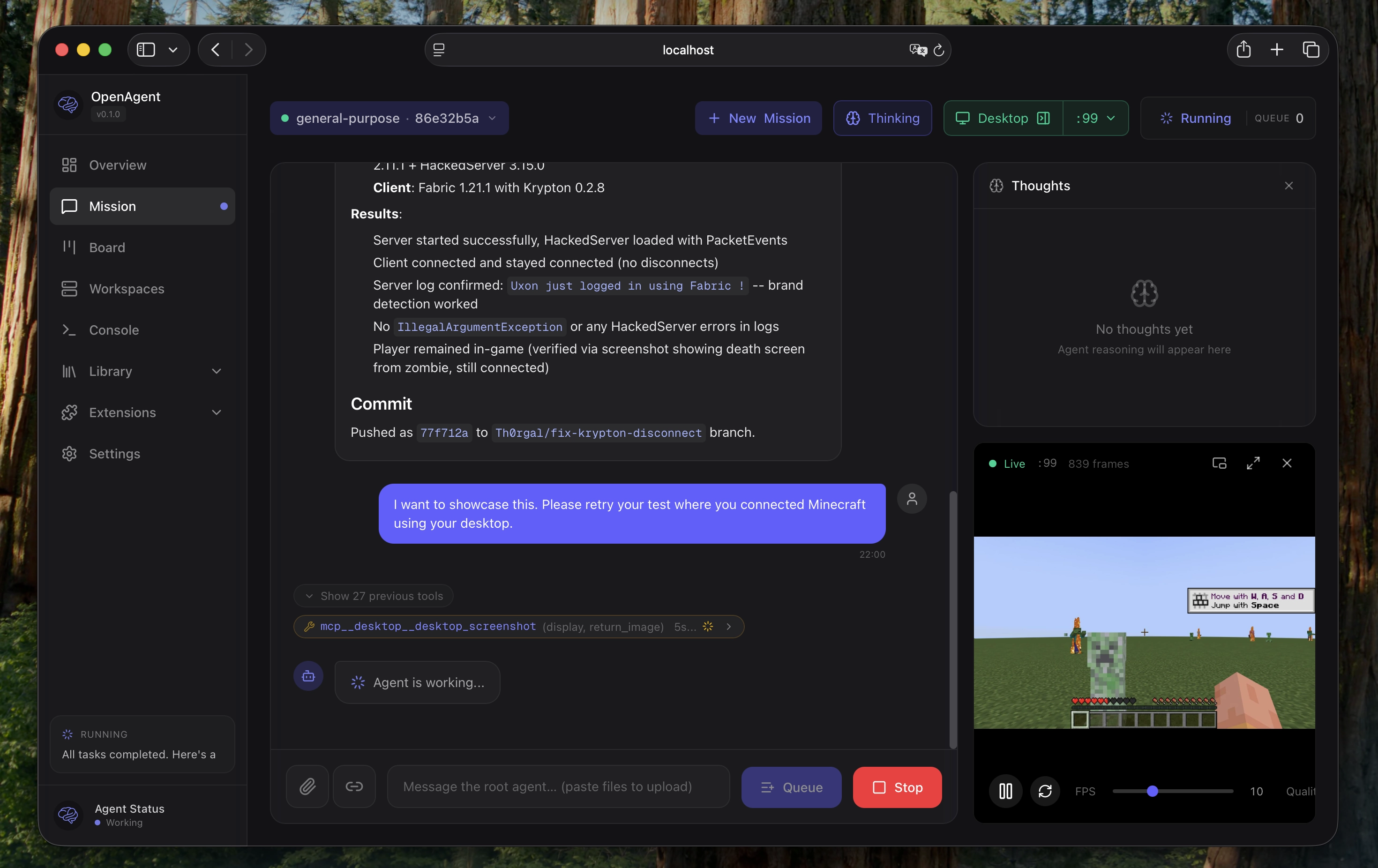
Hand off entire dev cycles. Point an agent at a GitHub issue, let it write code, test by launching desktop applications, and open a PR when tests pass. You review the diff, not the process.
Run multi-day operations unattended. Give an agent SSH access to your home GPU through a VPN. It reads Nvidia docs, sets up training, fine-tunes models while you sleep.
Keep sensitive data local. Analyze your sequenced DNA against scientific literature. Local inference, isolated containers, nothing leaves your machines.
Architecture
sandboxed.sh is the mission-execution backend of a two-part system — the
half an autonomous agent drives over MCP to actually build things in
isolation. The other half is a coordinator that decides what to do and
when: we run our own Hermes fork —
hermes-agent (the Python gateway +
CLI) and its bundled hermes-desktop Electron app (apps/desktop/) — but any
MCP-capable assistant works. The agent never runs untrusted code itself; it
hands each unit of work to sandboxed.sh, which runs it in a throwaway
workspace/container and streams back structured results. Four concepts tie the
system together:
| Concept | What it is | Where it lives |
|---|---|---|
| Project | The durable unit of work (an audit, a paper, a benchmark). First-class object with a mode (active / blocked / paused), an autonomy grant (merge authority, budget, parallelism), tracks, and open decisions. |
projects.db on the sandboxed.sh host, served at /api/projects/* |
| Controller | A coordinator cron that wakes on a schedule, reads its control conversation + GitHub + the project state, and dispatches work. Each controller owns its project(s) and reports structured status trailers; it can also launch missions on another project when it depends on that project's output (see Coordination between controllers). | Coordinator (e.g. a Hermes cron with the project MCP tools) |
| Conversation (control session) | The durable Hermes chat thread; the one bound to a project is its control conversation — where you (or the controller) talk. Continuations roll over, so it's addressed by route, not a frozen ID. | Coordinator, binding stored in projects.db |
| Mission | One unit of autonomous execution: an agent in an isolated workspace/container running a harness (Claude Code, Codex, …) that writes code, runs builds, opens PRs. Tagged with project/track. |
sandboxed.sh workspaces |
             decide / coordinate                      build / execute
  ┌────────────────────────────────┐      ┌────────────────────────────────────┐
  │  Coordinator (Hermes)          │ MCP  │  sandboxed.sh                      │
  │                                ├─────▶│                                    │
  │  controller crons              │      │  missions in isolated workspaces   │
  │  control conversations         │      │  (systemd-nspawn / Docker)         │
  │  project tools + start_mission │◀─────┤  projects.db · event stream        │
  └────────────────────────────────┘ SSE/ └────────────────────────────────────┘
                                  webhooks
Controllers write structured project state through MCP tools (list_projects,
update_project_status, set_project_grant, link_mission_to_project, …)
instead of free text; a state ingestor also folds controller status trailers
from deliveries into the project record, so the roster stays current even for
text-only updates.
Rule of thumb: a controller drives a project through its control conversation by dispatching missions. Decide/coordinate → the assistant; build/execute in isolation → a sandboxed mission. In-conversation subagents are for quick reasoning and decomposition; anything needing a real filesystem, git, builds, or a PR gets dispatched as a mission.
The same project roster is rendered by three surfaces: the web dashboard's
board (/), the desktop Projects board, and the iOS app's Projects tab.
Features
- Multi-Runtime Support: Run Claude Code, OpenCode, Codex, Gemini, and Grok agents in the same infrastructure
- Projects & Controllers: First-class projects (mode, autonomy grant, tracks, decisions) driven by scheduled controllers over MCP — structured state, not status prose
- Mission Control: Start, stop, and monitor agents remotely with real-time streaming
- Isolated Workspaces: Containerized Linux environments (systemd-nspawn) with per-mission directories
- Git-backed Library: Skills, tools, rules, agents, and MCPs versioned in a single repo
- Assistant Gateway: Manage Telegram gateway compatibility from the top-level Assistant UI while Hermes takes over assistant runtime over MCP
- Automations: Schedule recurring agent runs with cron-like triggers
- Model Routing: Provider fallback chains with health checks and rate-limit handling
- MCP Registry (optional): Extra tool servers (desktop/playwright/etc.) when needed
- OpenAI-compatible Proxy Queue Mode: Optional deferred execution for
/v1/chat/completionswhen all routed providers are temporarily rate-limited - Native Inference Protocols: Capability-gated Chat Completions, Responses,
and Anthropic Messages with provider-specific reasoning continuity; see
docs/INFERENCE_PROTOCOLS.md - Multi-platform: Web dashboard (Next.js) and iOS app (SwiftUI) with Picture-in-Picture
Ecosystem
The coordinator — the agent that decides what to run and drives sandboxed.sh over MCP:
- Hermes (our fork): the
coordinator we run in production — a Python gateway + CLI plus the bundled
hermes-desktop Electron app (
apps/desktop/). It owns the control conversations, controller crons, and the project MCP tools (start_mission,link_mission_to_project, …). Any MCP-capable assistant can take this role; Hermes is the reference implementation. See itsFORK.mdfor how our changes are layered on upstream to stay easy to update.
The runtimes — the coding agents sandboxed.sh executes inside isolated workspaces:
- Claude Code: Anthropic's
official coding agent with native skills support (
.claude/skills/) - OpenCode: Open-source coding agent
- Codex, Gemini, and Grok: Native CLI backends for OpenAI, Google, and xAI coding agents
Each runtime executes inside isolated workspaces, so bash commands and file operations are scoped correctly. sandboxed.sh handles orchestration, workspace isolation, and Library-based configuration management.
Screenshots
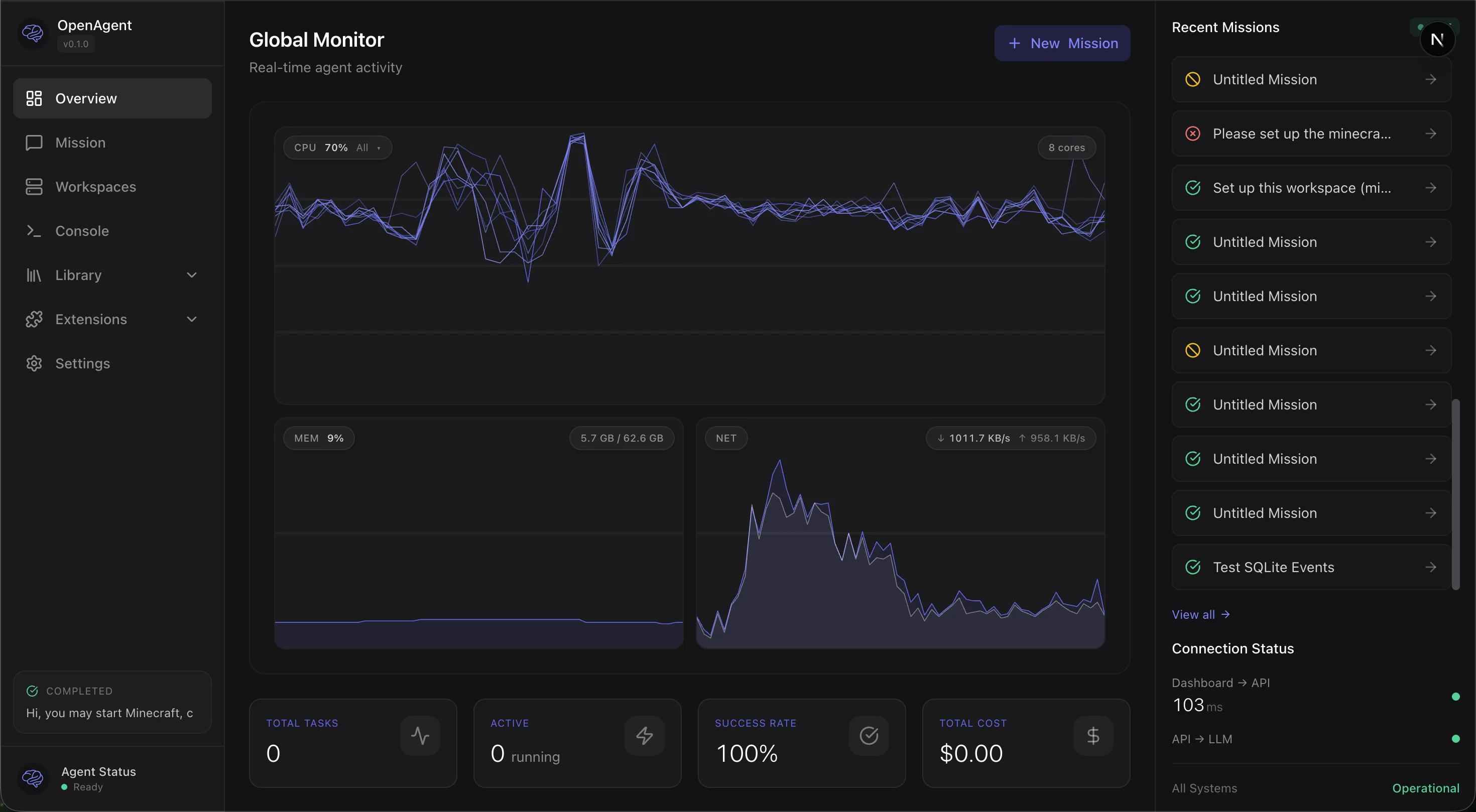
Real-time monitoring with CPU, memory, network graphs and mission timeline
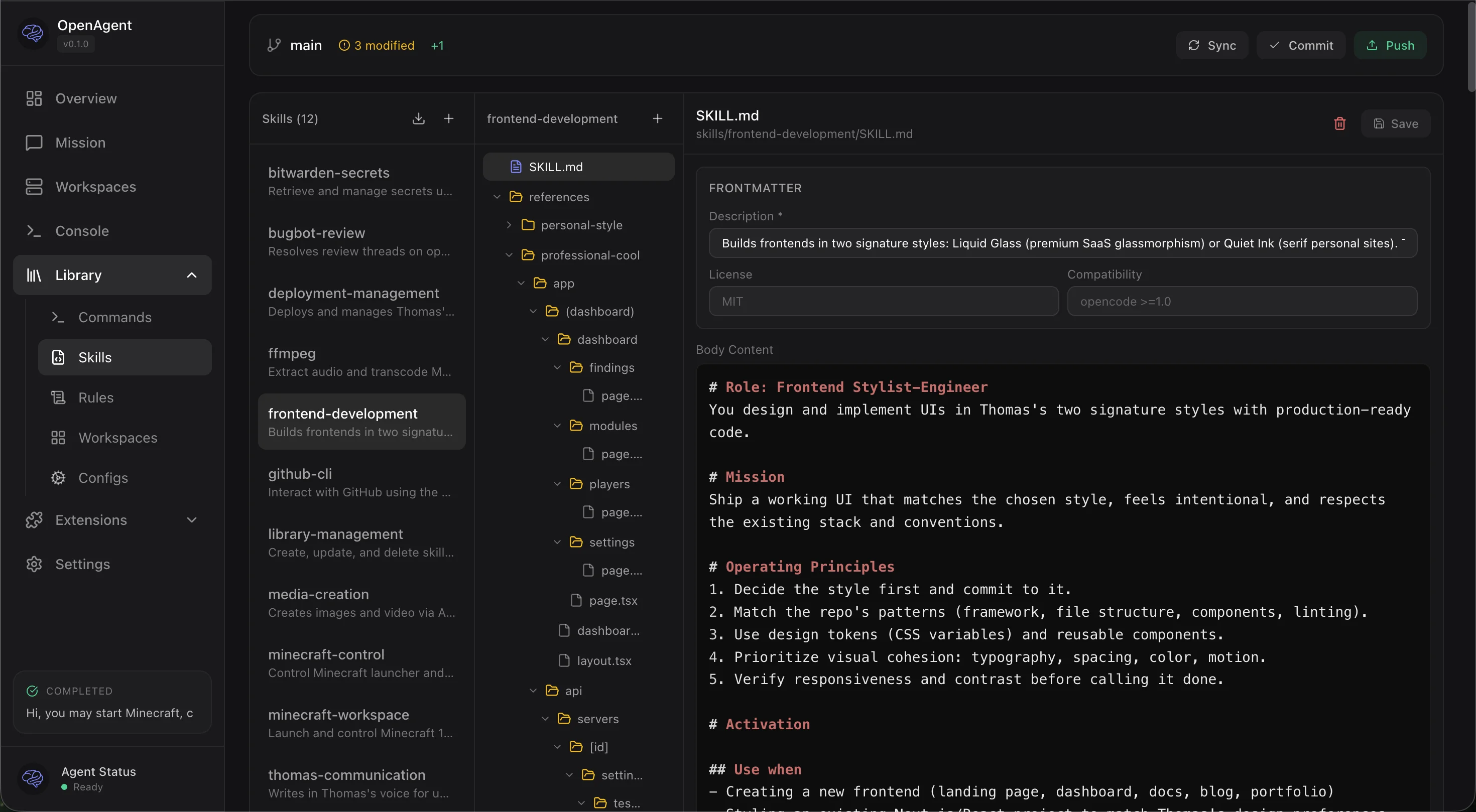
Git-backed Library with skills, commands, rules, and inline editing
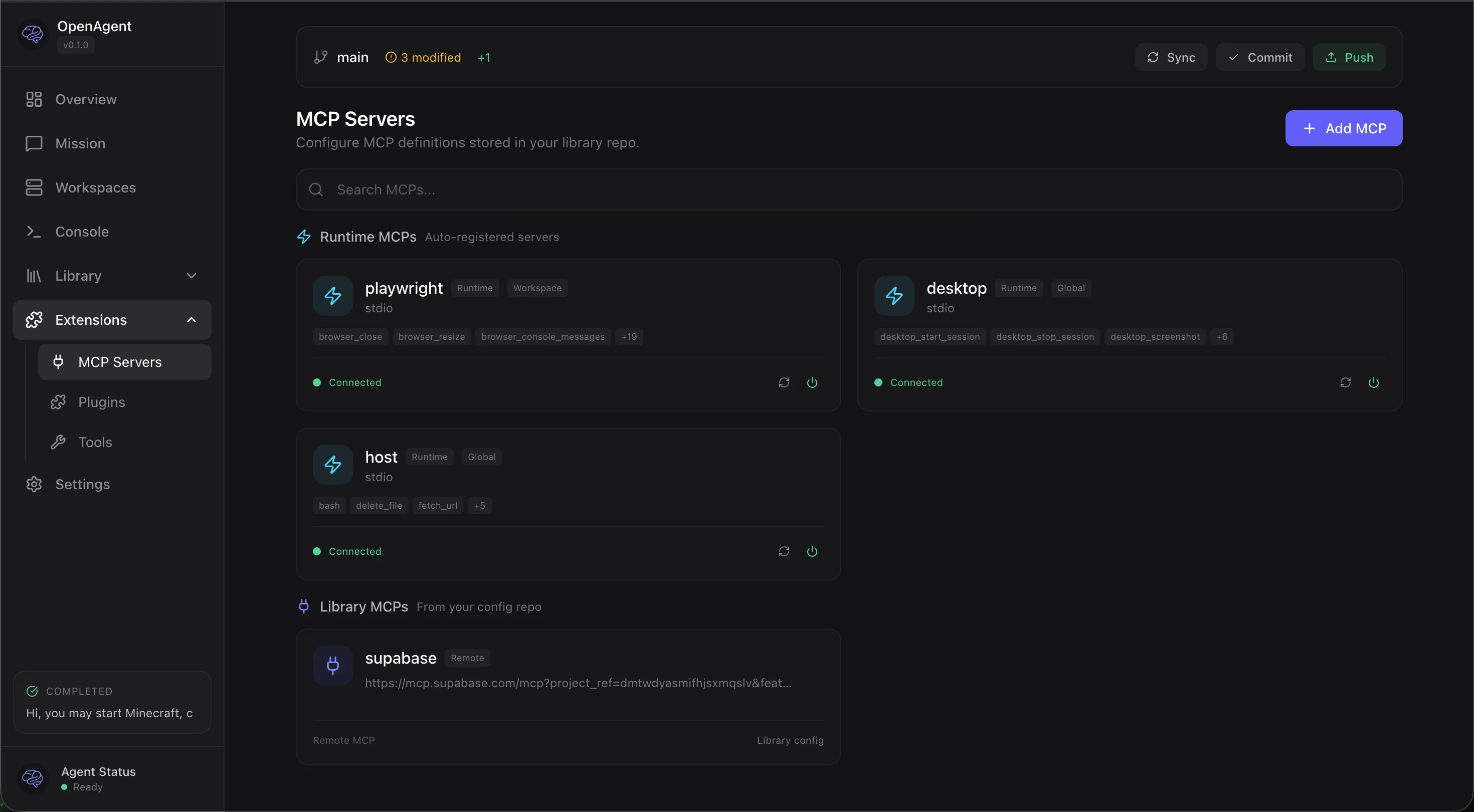
MCP server management with runtime status and Library integration
Getting Started
Choose your installation method
| Docker (recommended) | Native (bare metal) | |
|---|---|---|
| Best for | Getting started, macOS users, quick deployment | Production servers, maximum performance |
| Platform | Any OS with Docker | Ubuntu 24.04 LTS |
| Setup time | ~5 minutes | ~30 minutes |
| Container workspaces | Yes (with privileged: true) |
Yes (native systemd-nspawn) |
| Desktop automation | Yes (headless Xvfb inside Docker) | Yes (native X11 or Xvfb) |
| Performance | Good (slight overhead on macOS) | Best (native Linux) |
| Updates | docker compose pull / rebuild |
Git pull + cargo build, or one-click from dashboard |
Docker (recommended for most users)
git clone https://github.com/Th0rgal/sandboxed.sh.git
cd sandboxed.sh
cp .env.example .env
# Edit .env with your settings
docker compose up -d
Open http://localhost:3000 — that's it.
For container workspace isolation (recommended), uncomment privileged: true in
docker-compose.yml.
Native (bare metal)
For production servers running Ubuntu 24.04 with maximum performance and native systemd-nspawn isolation.
→ Full native installation guide
First-time setup
After installation, follow the Getting Started Guide for: - Configuring your backend connection - Setting up your library repository - Exploring skills and tools - Creating your first mission
AI-assisted setup
Point your coding agent at the installation guide and let it handle the deployment:
"Deploy Sandboxed.sh on my server at
1.2.3.4with domainagent.example.com"
Documentation
User Guides
- Getting Started - First-time setup and usage
- Docker Installation - Recommended installation method
- Native Installation - Bare metal Ubuntu setup
Architecture & APIs
- Hermes orchestration - How Hermes and sandboxed.sh run autonomous projects: sessions, missions, controllers, routes
- Harness System - Backend integration architecture
- ChatGPT UI harness - Experimental subscription-backed browser harness
- Workspaces - Isolated execution environments
- Mission API - Mission lifecycle and control
- Workspace API - Workspace management endpoints
- Backend API - Backend configuration
Setup Guides
- Assistant Gateway - Connect Telegram bots and manage the Assistant cutover
- Hermes Assistant Migration - MCP bridge and runtime handoff notes
- Desktop Setup - X11/Xvfb configuration for GUI automation
Reference
- agents.md - Agent configuration and harness details
- Persistent Sessions Design - Claude CLI session management
- Debugging Guide - Troubleshooting and debug workflows
- Docker Analysis - Docker setup deep dive
Development
Setup git hooks
Enable pre-push formatting checks to catch CI failures locally:
git config core.hooksPath .githooks
This runs cargo fmt --check before each push. If formatting issues are found,
run cargo fmt --all to fix them.
Status
Work in Progress — This project is under active development. Contributions and feedback welcome.
License
MIT